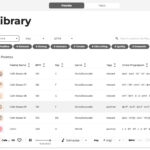
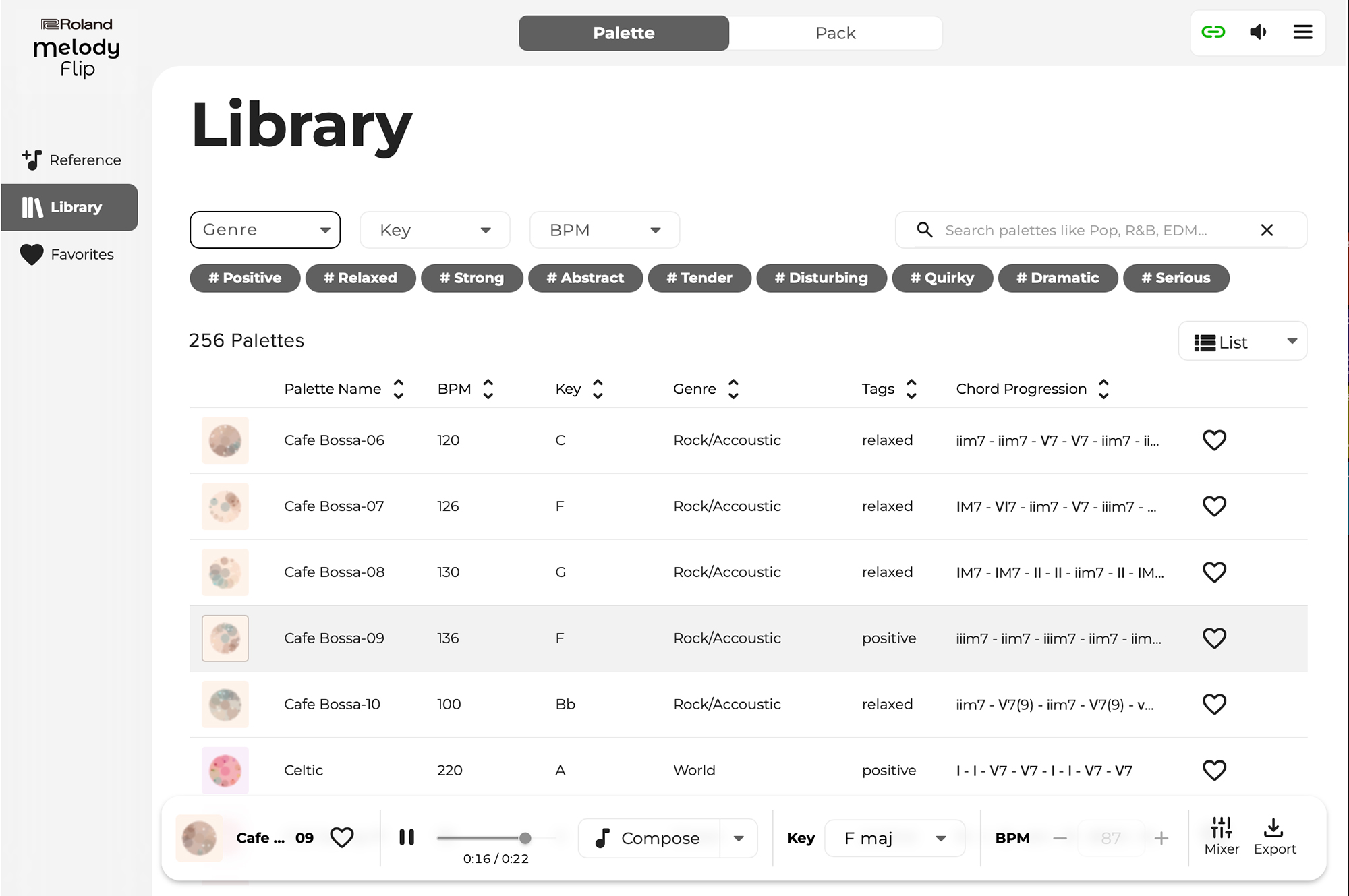
Official Melody Flip Library press image supplied by Roland, published September 4, 2026; retrieved October 15, 2026. Shown for product identification, not a GPTOnline hands-on test. Source: Roland press release.
Roland Melody Flip is an AI-assisted music tool for producers who have a promising beat or chord loop but need a new melodic direction. Released on September 3, 2026, it combines Roland’s music-production experience with research from Sony Computer Science Laboratories. Its focus is generating material that musicians can select and develop. Roland’s release announcement describes an idea-development workflow rather than automatic delivery of finished songs.
For a home-studio producer, the useful question is whether those suggestions make it easier to finish a musical decision. This guide covers the documented features and proposes a practical exercise for evaluating them. The workflow is hypothetical; no hands-on performance testing is claimed.
What does Roland Melody Flip do?
You can start by importing audio or choosing a Palette. A Palette provides a musical direction built around melody, chords, bass, and drums. Roland’s current product page lists more than 250 Palettes. With imported audio, the software analyzes musical characteristics, including tempo, key, and chord progression, to recommend suitable Palettes. See the official Melody Flip product page for the current feature list.
Ideas can be exported as audio or MIDI, including the supporting parts, according to the release announcement. That gives the producer a useful choice: preserve a sound as an audio sketch, or continue developing the notes and arrangement in a digital audio workstation.
Is Melody Flip free, and what does it require?
Roland lists Melody Flip with every Roland Cloud membership level, including the free tier. It requires Roland Cloud Manager 3.1.23 or later. The published compatibility list names Windows 11, macOS 14, 15, and 26, and VST3 and AU plug-in formats. Check your DAW’s supported formats and the latest requirements before installing; that list does not establish compatibility with every host or older operating system.
Import formats also differ by platform. Roland’s audio-file support note lists WAV, AIFF, and MP3 for Windows, with AAC additionally supported on macOS. If an import fails, check the file format before assuming the musical content is the problem. Use a compatible export from your audio editor when needed.
Export good ideas before moving on
One important limitation deserves attention before your first session: Melody Flip does not support total recall. Roland’s recall guidance says a generated melody may reset when you reopen a saved project, change the operation screen, or reload the plug-in, depending on the DAW. Export anything you want to keep as you create it. Saving the DAW project alone should not be your preservation plan.
A practical workflow for developing one unfinished idea
Imagine an eight-bar instrumental sketch with a drum groove and chords, but no lead phrase you want to keep. The following exercise is an editorial suggestion, not a description of measured results.
1. Define the musical problem first
Write a one-sentence brief: “I need a short hook with room for a vocal response.” Decide which existing elements should stay. Without that constraint, a session can become an endless search through pleasant alternatives. Save a copy of the original project so you can compare the arrangement honestly later.
2. Audition a small set of directions
Start with your own sketch or explore a Palette. Give each candidate a specific job: one might suggest a rhythm, another a melodic contour, and another a different emotional direction. Export three candidates for closer attention. This is a decision-making limit for the exercise, not a restriction imposed by the software.
3. Judge the phrase inside the track
Listen with the existing bass and percussion, then reduce the arrangement to its essentials. Ask whether the hook leaves breathing room, whether its strongest notes arrive at useful moments, and whether you can remember it after playback stops. A busy phrase can sound impressive alone while competing with a future vocal.
4. Edit with a clear purpose
In your DAW, try shortening the phrase, moving its opening note, or leaving a deliberate gap before the final beat. Adjust the register and instrument to suit the song. Change one thing at a time so you can hear why the revision helps. Treat a promising two-beat fragment as enough material to develop.
5. Build a contrasting section
Make a second section with fewer notes or a different rhythmic emphasis. Then return to the first idea and check whether the transition creates momentum. Keep the version that serves the arrangement. A useful outcome is one musical choice you can commit to, even if much of the suggested material is discarded.
Limitations worth testing before relying on it
Published features do not establish how well a suggestion will fit your particular session. Evaluate timing, harmonic fit, and musical usefulness with your own material. For a fair comparison, use the same instrument and roughly matched playback levels for competing ideas; a louder or brighter sound can distract from the underlying composition.
Also test the full path into your regular project. Can you reopen the session, locate the exported files, and continue editing without interrupting your workflow? Keep brief notes on what you retained and why. The meaningful measure is whether you reach a stronger arrangement, not how many variations you generate.
Check permissions before importing or releasing music
Use audio you created or have appropriate permission to process. For client sessions, clarify permission before using unreleased material in a new service or tool. Review the applicable product terms and project agreements before commercial distribution. This overview does not establish ownership, exclusivity, or legal clearance for any generated result.
For producers willing to audition, edit, and arrange, Melody Flip offers a concrete way to explore an unfinished sketch. Start with one small musical problem and judge the tool by the decision it helps you make.
Explore more AI music tools in our directory.