Updated October 19, 2026. Reviewed and revised for current information.
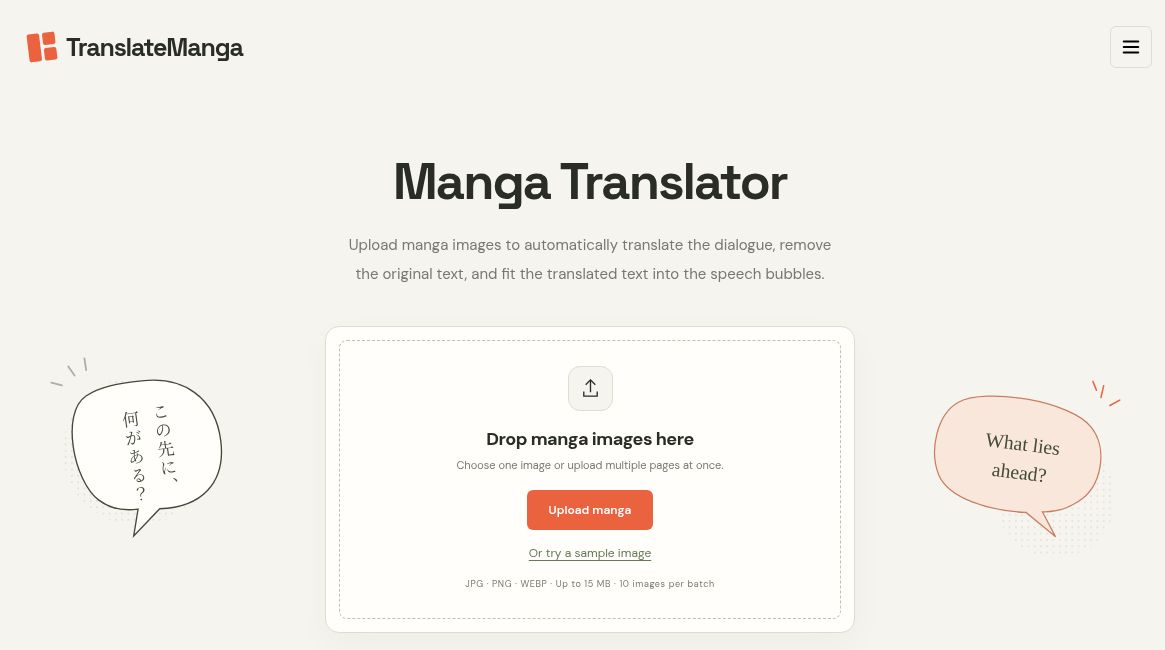
Image: Official TranslateManga homepage and empty upload interface, captured October 19, 2026. No manga file was uploaded and no translation or accuracy test was performed.
TranslateManga is a browser-based manga and comic image translator. It detects dialogue, replaces the original lettering with translated text, and aims to keep speech bubbles and artwork readable. It is useful for exploring a comic in another language or preparing a first translation draft of material you are allowed to adapt.
The service combines an upload-and-download translator, a manga editor, a Chrome extension, and an API. This overview is based on official pages checked on 19 October 2026. Translation quality and layout preservation are provider-described capabilities; no hands-on accuracy test is claimed here.
Image translation and current upload limits
The public translator accepts JPG, PNG, and WebP images. Its signed-out interface currently shows up to 15 MB per image and 10 images per batch, with downloads individually or as a ZIP. It offers a limited free trial advertised as 20 translations. Signing in does not reset that free usage.
Choose a target language, model, and font before translating. The developer’s API reference lists 60 supported target languages, including English, Japanese, Korean, Spanish, and Simplified and Traditional Chinese. Check the current selector for your specific language and model combination rather than assuming every option behaves identically.
What the editor adds
Automatic translation is a starting point when wording or lettering needs refinement. The separate Manga Editor lets you adjust translated text, fonts, colors, and layout. It also includes erasing and painting tools for image retouching.
The editor lists JPG, PNG, WebP, GIF, and saved .manga projects as inputs, with a 15 MB image limit. Finished work can be exported as PNG, while a .manga project lets you return to editing later. Keep the original image too, so you can compare wording and recover artwork if an automated removal or manual edit affects a detail you need.
A sensible translation workflow
- Try one representative page before committing a whole chapter, especially if it contains small text, unusual lettering, or dense dialogue.
- Choose your target language and review the model’s displayed credit cost.
- Translate a small batch, then compare the result with the original for missing lines, names, reading order, and overflowing text.
- Open results in the editor to correct phrasing and adjust placement where needed.
- Download finished images and save an editable project if you expect revisions.
The official changelog describes October 2026 updates to bubble-shaped text layout, line-art preservation, and automatic font selection. It also documents model-specific credit-cost labels and opening completed translations directly in the editor. These are useful controls, but they do not establish that every page will translate accurately or retain all visual detail.
Chrome extension and API
The Chrome extension places translations into image-based comics on supported reading sites. The vendor links to its Manga Translator listing in the Chrome Web Store. Site compatibility matters; “supported sites” should not be read as a promise that it works on every reader or website.
For developers, the API accepts one image per request, with a 15 MB maximum, and returns a translated PNG encoded in a JSON response. The response includes credit-cost and remaining-credit fields. This can fit an authorized image-translation workflow, while the web batch interface is simpler for occasional manual use.
Free use, subscriptions, and credit purchases
The service offers one-time credits as well as monthly and annual subscriptions. The introduction of subscriptions is recorded in its August 2026 changelog, so the older description of an exclusively pay-as-you-go product is incomplete. Check the current plan selector for the currency, billing period, credit allocation, model access, and support included with your choice.
Do not equate a credit with a translated page unless the selected model’s cost confirms that relationship. Also check whether unused credits expire or roll over before selecting a pack or subscription.
Who should consider it
TranslateManga is a candidate for readers comparing languages, language learners checking dialogue, independent comic creators preparing multilingual drafts, and translators who want image lettering tools alongside machine translation. For publication, review the language and artwork carefully and use material you own or have permission to upload and adapt.