Updated on October 20, 2026.
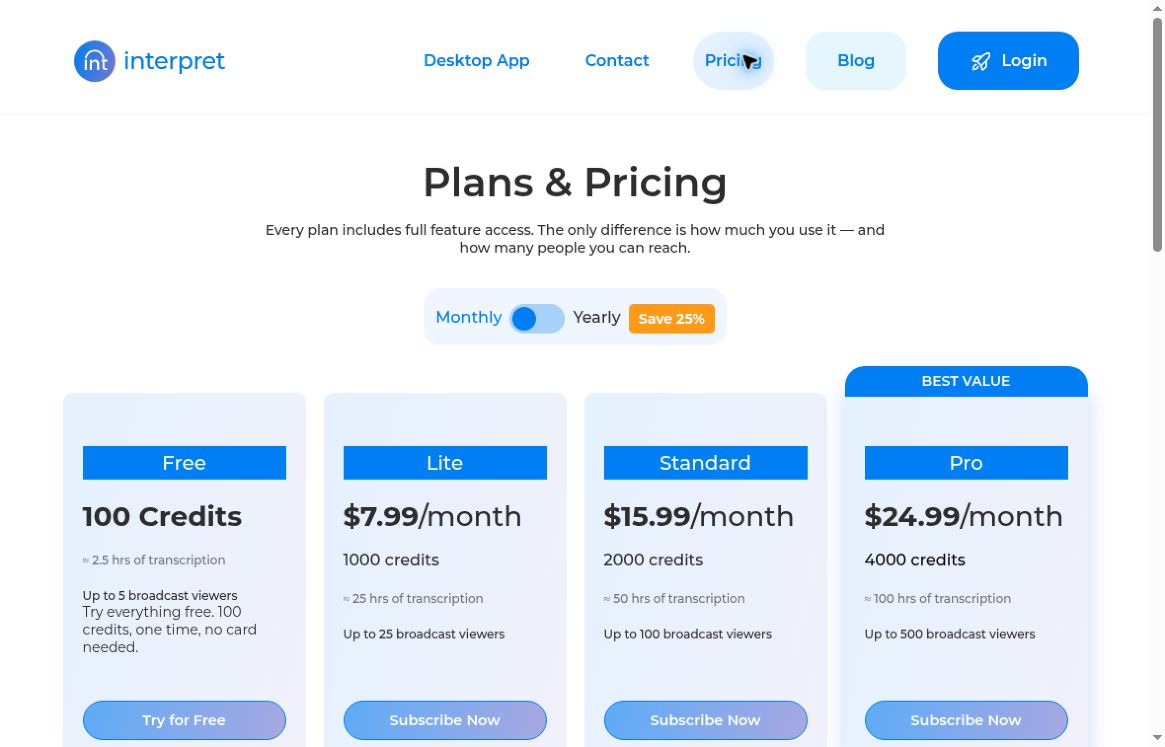
Featured image: screenshot of Interpret AI’s official pricing page, captured October 20, 2026. Provider presentation for editorial identification; no hands-on product test. The monthly selector is shown. Feature and hour estimates are provider claims, not tested performance; actual credit use varies by workflow as explained below. This dated excerpt does not include all plan terms.
Interpret AI is a communication tool from BlueJay AI Technologies for live transcription, multilingual translation, and sharing captions with an audience. Its documented workflows cover lectures, meetings, interviews, and live events, with saved transcripts and AI-assisted notes. The product discussed here is the service at interpretapp.ai.
Live captions, translation, and meeting notes
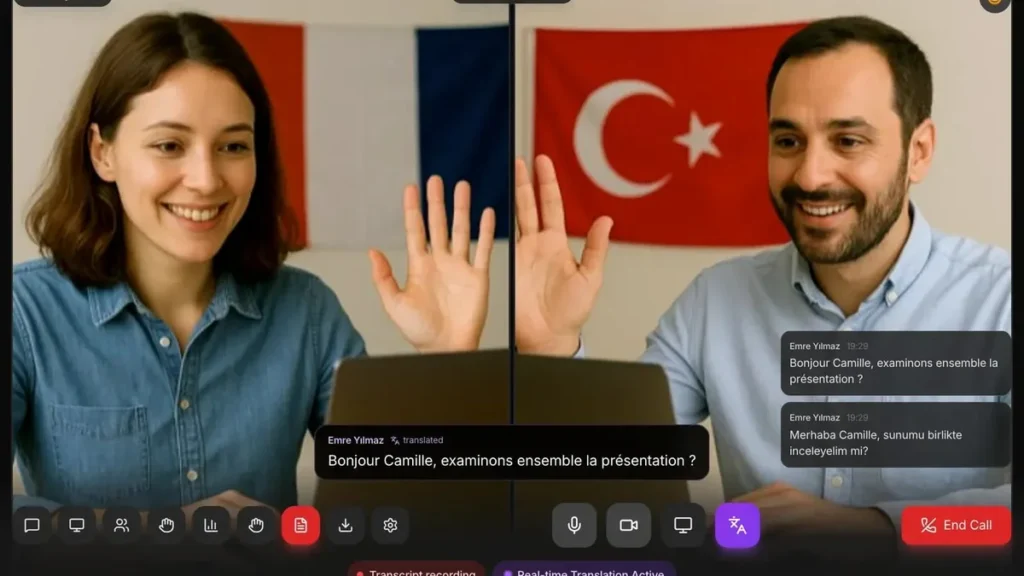
The provider’s live-translation guide describes transcribing speech, translating it, saving the transcript, and sharing captions through a link or QR code. The current plan page advertises on-screen text translation into more than 50 languages. Check your actual source and target languages before planning an event; a general count does not establish identical support for captions, files, and translated speech.
A separate official feature overview documents AI chat for live meetings and saved transcripts, plus live outlines. It lists Zoom, Google Meet, Microsoft Teams, Cisco Webex, Slack Huddles, and GoTo Meeting. Check the current setup requirements for your conferencing platform and organization rather than assuming every integration works identically.
Broadcast audio has an important limitation
Interpret’s audio-streaming announcement describes a Live Audio control for people following a broadcast. It says the service aims to provide audio corresponding to the chosen translation language when available. That is a conditional feature, not a guarantee that every caption language has a live spoken translation.
For a multilingual presentation, test the exact microphone, room acoustics, network, language pair, and listener devices beforehand. Share a caption link only with the intended audience, and make sure participants understand whether audio or transcripts will be retained. Keep a human review or alternative communication route for names, specialized vocabulary, and important decisions.
Web and mobile availability
Desktop and mobile browser use are documented. The current desktop download page also offers macOS, Windows, and Linux apps, with microphone transcription, floating captions, system-audio translation, and audience broadcasts. These installers were not downloaded or tested. There is also a current Google Play listing for Interpret AI, published by Bluejay Ai Technologies Inc and linked to the same official website. It describes live speech-to-text, translation, multilingual rooms, cross-device synchronization, and profanity-filter options. The earlier statement that Android was unavailable is outdated.
A cached iPhone listing describes transcript folders, search, and exports, but the live U.S. App Store page returned “The page you’re looking for can’t be found” during this check. Current U.S. installation availability was therefore not verified; this observation does not establish global discontinuation.
Current prices, credits, and audience limits
The live pricing page showed the following monthly and yearly selections on October 20, 2026. It displays a dollar sign without an explicit currency code; confirm currency, tax, renewal terms, and total at checkout.
| Plan | Monthly / yearly price | Credits shown | Broadcast viewers |
|---|---|---|---|
| Free | $0 | 100, one time | Up to 5 |
| Lite | $7.99 / $71.99 | 1,000 | Up to 25 |
| Standard | $15.99 / $143.99 | 2,000 | Up to 100 |
| Pro | $24.99 / $224.99 | 4,000 | Up to 500 |
The free allocation requires no card. The yearly cards retain the same displayed credit amounts without clearly stating the replenishment schedule, so confirm when credits reset or expire rather than assuming an annual multiplier. Enterprise is quoted separately, advertising unlimited viewers with peak-concurrent billing and support arrangements.
Rates differ by workflow: live transcription/translation and broadcasts cost 50 credits per hour; audio/video file transcription costs 40 per hour; document translation costs 150 per 10,000 words; text-to-speech costs 200 per hour. Thus, 1,000 credits covers about 20 live hours or 25 file-transcription hours before other spending. The headline hour estimates use the lower file rate.
The page lists on-screen text translation, document management, and AI live outlines/support as free features. These do not make their underlying paid audio capture or document-processing workflows unlimited.
Best-fit uses and practical limits
The documented combination is relevant to captioning presentations, reviewing interviews, and following multilingual classes or meetings. AI transcripts and summaries can omit or misinterpret details, so compare important passages with the original recording when available. Use an appropriately qualified human for high-stakes interpretation, and obtain any required consent before recording or uploading confidential material.
This overview checks official public documentation and store information; it does not claim a hands-on accuracy test. Explore our AI tools directory for other meeting and language tools. Sources checked October 20, 2026.