Updated October 19, 2026. Reviewed and revised for current information.
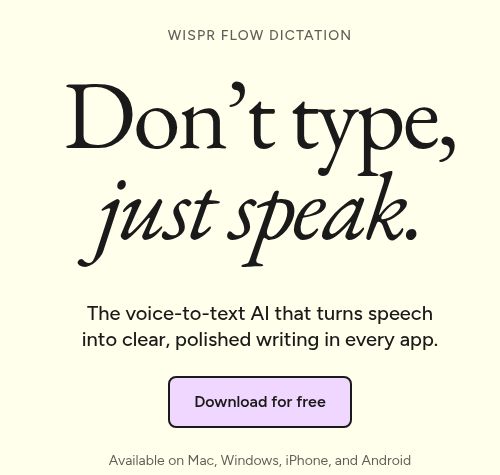
Image: Official Wispr Flow Dictation homepage, captured October 19, 2026. The headline and every-app description are provider marketing, not a dictation accuracy or compatibility test; no installation, microphone recording, meeting capture or transcription workflow was tested.
Wispr Flow AI is a voice-to-text dictation tool that turns speech into edited writing in the app you are using. The current product also includes Wispr Notetaker for meetings, with access and limits that depend on the plan.
What Wispr Flow does
The official product overview describes dictation at the cursor across email, messaging, notes, documents and coding tools. Flow cleans up filler words, handles spoken corrections and formats text. Its dictionary helps with names, acronyms and specialist vocabulary. The advertised coverage is more than 100 dictation languages.
These capabilities can reduce the amount of manual typing, but generated text still needs review. This article does not claim measured speed improvements, flawless recognition or a personal test of accent handling.
Key features
- Dictation across apps: Speak into the current text field rather than copy text from a standalone transcript.
- Automatic cleanup: Turn a spoken draft into more readable prose, with formatting and corrections.
- Dictionary and snippets: Add terminology or reuse frequently needed text.
- Team management: Paid options add shared resources, seat management and centralized billing.
- Meeting notes: The separate Notetaker captures transcripts, named speakers, summaries and next steps.
Dictation is offered on Mac, Windows, iPhone and Android. Notetaker currently runs on Mac and Windows; its 21 advertised transcription languages are a different list from dictation’s 100-plus languages. Check the relevant feature instead of assuming all devices and languages have identical support.
Practical uses
Freelancers, teams and businesses can use Flow to draft messages, meeting follow-ups, briefs or longer notes by speaking. A developer can dictate an explanation or prompt into an editor. A student can talk through an idea before revising it. These are writing and note-capture workflows; Flow does not itself establish that a task was approved or that an external action was completed.
For useful results, put the cursor in the correct field, choose the language you are speaking and review names, numbers and commitments before sending. A brief dictation sample in your normal environment is a better purchasing check than a blanket accuracy claim. Obtain the necessary permission before recording other people.
Current plans and US pricing
The official plan guide lists US card prices:
- Free: US$0 with limited dictation and meeting access.
- Pro: US$15 per user monthly, or US$144 per user yearly, equivalent to US$12/month.
- Growth, dictation only: US$23 per user monthly, or US$216 yearly, equivalent to US$18/month.
- Growth with Notetaker: US$33 per user monthly, or US$312 yearly, equivalent to US$26/month.
- Enterprise: Custom pricing; Notetaker can be added separately.
Annual equivalents are not month-to-month prices. The guide says regional currencies use fixed regional prices, and app-store billing can differ. Confirm your currency, seat count and billing cycle before purchase. Use the current plan guide when comparing tiers.
Free dictation has a weekly allowance of 2,000 desktop words or 1,000 shared mobile words. Current documentation distinguishes these from hard maxima of 5,000 desktop and 1,500 mobile words: Flow slows at the allowance and blocks at the maximum until reset or upgrade. The pricing comparison also distinguishes limited meeting access from unlimited add-ons; a slogan about a combined subscription should not be read as identical unlimited Notetaker access on every plan.
Privacy and limitations
Wispr’s privacy page says transcription happens on its servers. Cloud storage, local history, context awareness and model-improvement choices have separate controls. Turning off persistent cloud storage does not make transcription offline. Check these settings before dictating confidential information or adopting it across a team.
Meeting and dictation features have different retention and compliance conditions. Organizations with regulated information should verify their exact plan and agreement rather than relying on a generic security badge. Flow is best considered as a writing-input and meeting-notes tool, with human review before its output is acted on.