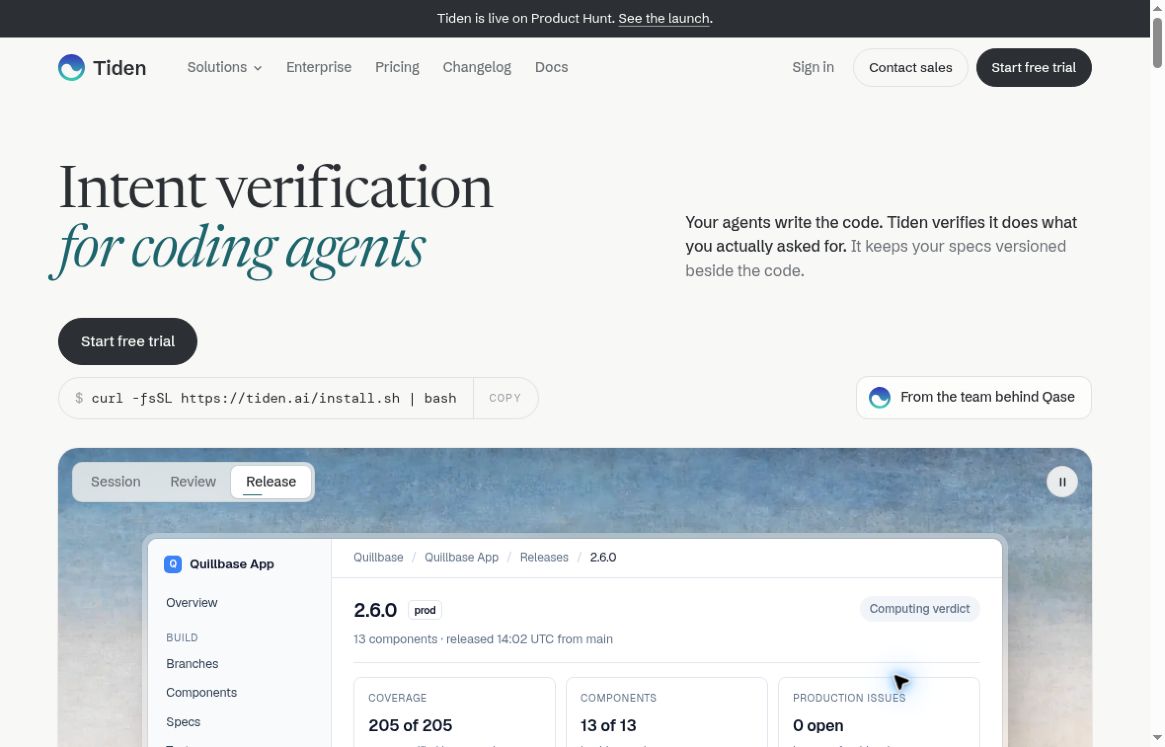
Official Tiden homepage, captured October 19, 2026. Source: tiden.ai. The release panel is a vendor website illustration, not our test result.
Tiden is an intent-verification tool for teams shipping code with AI coding agents. It keeps the requested behavior as reviewable specs, links those specs to test evidence and uses quality gates to show whether a change meets the recorded expectations. The key question is whether the agent built what was requested, not simply whether it produced a convincing diff. This review covers official product information and documentation; it does not claim a hands-on trial or measured defect reduction.
What is Tiden?
The official Tiden homepage describes a product built by the team behind Qase. It works alongside coding agents and an existing repository rather than replacing the developer’s chosen agent. Its approach connects the original request, versioned specs, test results and production issues into a longer-lived record.
That addresses a recognizable review problem. An agent can interpret a request incorrectly, write code to match that interpretation and generate tests that agree with its own implementation. A separate spec record can make the mismatch easier to notice. It still requires someone to check that the spec accurately represents the intended behavior.
How the workflow is organized
Tiden’s core concepts place specs, tests, components, branches, releases and issues inside a product. Proposed spec and test changes can live on branches before a human reviews and merges them into the canonical record. Components group related behavior, such as billing or authentication, so coverage can be examined by product area.
The useful outcome is traceability: a reviewer can ask which test supports a particular promise. If no test is linked, that gap becomes visible instead of being hidden behind a large total test count. This does not establish that every linked test is well designed, but it gives the team a more explicit review surface.
Quality gates and test evidence
The quality-gate guide says verdicts use spec coverage, test results, component risk, freshness and available production issues. Gates can evaluate the canonical product state, a branch’s merge preview or a release. Results distinguish a pass, a hard block and explicitly accepted risk.
The traceability view also separates verified specs from linked tests that have not run or have stale execution state, and from specs with no test coverage. That distinction matters in practice: “we have a test case” is weaker evidence than “the relevant test ran against this change.”
A passing gate should be treated as evidence within the configured scope. It cannot prove that the team asked for the right feature, that its thresholds cover every risk or that an untested production condition is safe. Human product judgment remains part of the workflow.
Where Tiden could be useful
- Agent-heavy feature delivery: maintain an explicit record of acceptance criteria when multiple coding sessions contribute to one feature.
- Release reviews: check which important behaviors have current test evidence before approving a release.
- Regression work: use missing links and component-level results to decide where additional tests would be most valuable.
- Incident follow-through: connect an observed production issue to its release and the behavior that should have been protected.
These are suggested evaluation uses rather than demonstrated results. Start with one small component where the expected behavior is already understood. A team with vague requirements should clarify those first; recording an ambiguity more consistently does not resolve it.
How to begin a focused evaluation
- Create or join the intended organization and workspace, then create a product.
- Use the official quickstart to install and authorize the CLI and verify the selected workspace.
- Add a small set of approved specs and link the tests that support them.
- Inspect Traceability for missing or stale evidence before configuring a release gate.
- Run a representative change through the workflow and have a person review the resulting branch and verdict.
Repository access deserves a deliberate setup step. The GitHub connection guide uses the Tiden GitHub App, lets you select repositories and tells you to review the permissions GitHub displays. Begin with the minimum repository scope needed for the pilot and confirm that the installation is connected to the correct workspace.
Coding-agent access and security
Tiden offers a CLI and a local MCP server for compatible clients. The MCP interface exposes operations for specs, tests, branches, gates and issues. It uses your configured API access, so a client connected to that server can perform the exposed actions permitted by the token.
That makes client trust and credential handling important. Keep access tokens out of chat transcripts and repository files, and make sure the agent’s permitted write actions match your review process. Adding an integration should not be mistaken for an independent security audit.
Pricing: verify the live offer before subscribing
Tiden’s homepage currently advertises a 14-day free trial with a card required. The dedicated pricing page says billing begins on day 15 if you keep the plan. Starter includes one product, up to three repositories and 25 verified changes per month; Team includes 100 verified changes per product, with extra usage charged separately. A verified change means a pull request merged with a passing gate, billed once regardless of how many runs it took.
Monthly and annual options are offered, but confirm the final amount, currency and overages in the live offer. This review omits fixed dollar-symbol amounts because the public page does not explicitly identify their currency. The terms of use describe automatic renewal and generally non-refundable fees, subject to applicable law or controlling contract terms. A trial is an opportunity to assess fit, not a reason to skip reviewing the subscription commitment.
Verdict
Tiden is worth a focused look if your team’s bottleneck is proving that agent-written changes satisfy approved intent. Its spec, evidence and gate model is more relevant to that problem than a generic promise of faster coding. For a related testing-tool perspective, see GPTOnline’s KaneAI overview, then compare the actual workflow each tool would cover.
Evaluate Tiden against a clear acceptance checklist: whether specs stay understandable, evidence matches the intended change and reviewers can explain a verdict. The strongest result would be a review process your team can defend, with known coverage gaps still visible.