Updated on October 20, 2026.
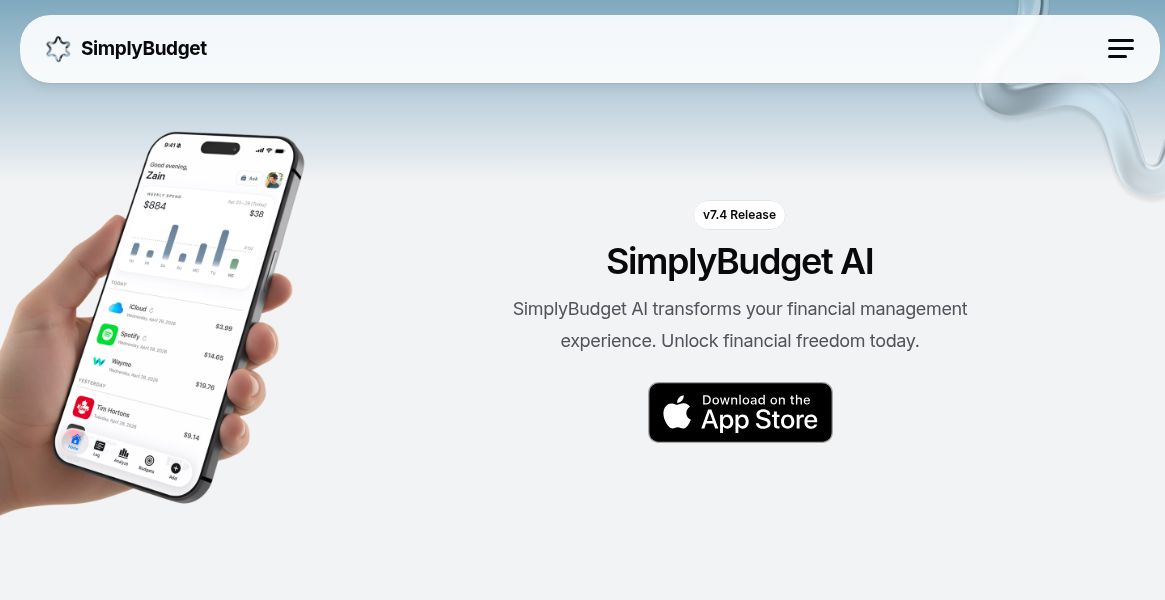
Featured image: screenshot of SimplyBudget AI’s official homepage, captured October 20, 2026. The phone preview and financial-freedom wording are the provider’s presentation, not a hands-on test or a verified financial outcome.
SimplyBudget AI is an iPhone expense tracker that combines transaction entry, spending breakdowns and AI assistance. The developer’s App Store listing identifies Nooruddin Pirani as the seller. It is useful to distinguish the current spending-focused app from the broader teen-and-family feature set described in the original review.
What changed in SimplyBudget 7.4?
The May 4, 2026 release article describes a substantial redesign. It explicitly says loyalty cards and bill tracking were removed to concentrate on expense tracking. Those earlier features are historical context, rather than current reasons to install the app.
The redesign adds spoken expense entry, an Ask Me assistant and Google-connected purchase-email detection. It also replaces BrandFetch with Logo.dev for merchant branding. These are published product claims, not independently measured accuracy or time-saving results.
Current expense-tracking workflow
- Voice logging: describe a purchase and review the suggested amount, merchant, category, date and logo before relying on it.
- Spending questions: use Ask Me to explore your recorded expenses and categories in everyday language.
- Visual analysis: inspect spending breakdowns to understand which categories account for your recorded purchases.
- Email connection: the product advertises optional Google integration that detects purchase emails and creates expense entries. This requires considering the requested account permissions.
The current official homepage links to the same App Store app and matches the developer’s Framer-hosted presentation. It presents Basic voice assistance and logo attachment separately from Plus features such as advanced voice AI, Ask Me and email sync.
Free access and a pricing discrepancy
The landing page advertises a free Basic plan with 30 permitted transactions, but the visible wording does not establish when that allowance resets. Do not assume the older article’s 30-per-month limit still applies.
Its Plus card shows $4.99 per month without identifying the currency in the displayed text. The U.S. App Store description instead advertises a one-week trial followed by US$3.99 per month, plus a US$17.99 one-time lifetime purchase. The listed in-app purchase also shows SimplyBudget Plus at $3.99. These public descriptions disagree; check the actual Apple purchase screen for your region, available offer and final charge.
The App Store description says the monthly subscription renews automatically unless canceled at least 24 hours before the period ends, with renewal charged within the final 24 hours. Manage it through Apple account settings. A free download should not be confused with unlimited free use. The May 5, 2026 terms define lifetime access as the life of the product, covering features available at purchase; access ends if the app is discontinued.
Privacy and family-use limits
The May 5, 2026 privacy policy says user-created financial entries are stored locally, but it also describes external processing for optional features. Receipt-related Gmail content may be sent to AI systems, Ask Me can send transaction-related data described as anonymous, and Groq processes voice recordings. The provider says voice data is processed in memory, not stored on its servers, and the resulting transaction text is discarded after use. This is a provider disclosure, not an independent privacy audit or proof that every workflow stays offline.
Email syncing requires explicit opt-in under the terms. The privacy policy specifically says Plaid is not currently used as of its effective date, despite general Plaid references elsewhere in the policies; do not assume live bank linking is available. Apple’s developer-supplied privacy label lists identity-linked contact information and financial information not linked to identity; Apple says it has not verified that disclosure.
A student or family could still use recorded expenses as the starting point for an allowance discussion or a household spending review. However, current parental dashboards, teen supervision and school-management features were not verified. Nor should the store’s age rating be read as proof of parental controls or consent arrangements.
Review the requested permissions before connecting an account. The readable policy does not establish a comprehensive retention schedule or deletion workflow, so confirm those details if they affect your decision. Review merchant classifications and totals against your own records; an AI-generated explanation is not a guarantee that the underlying entries are complete.
Official product and store sources checked October 20, 2026. No app installation, account connection or financial-data test was performed.