
Updated: October 17, 2026
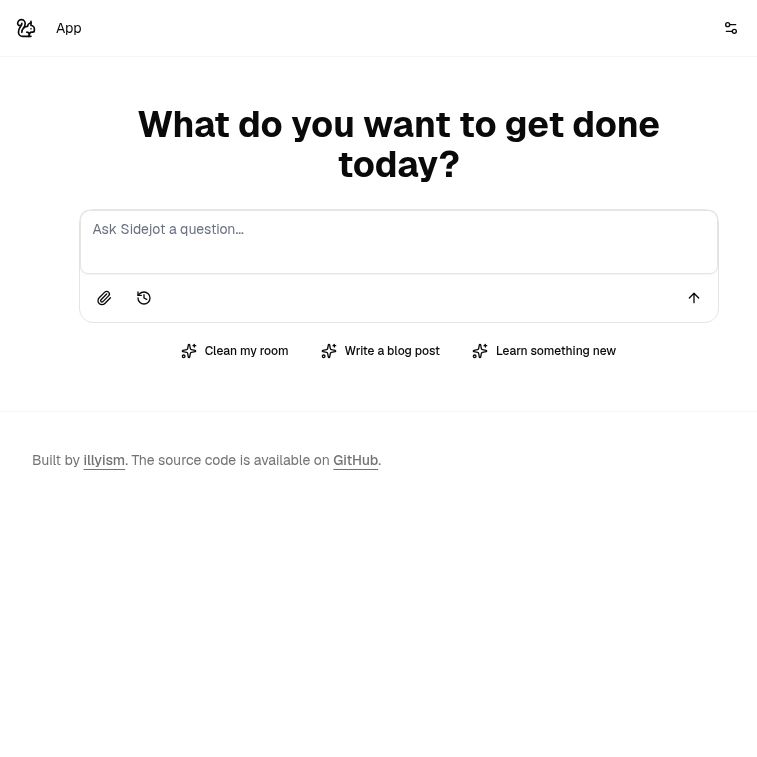
Screenshot of the official Sidejot homepage, captured October 18, 2026.
Sidejot AI is a browser-based task planner built around AI-assisted planning and Pomodoro work sessions. Its public website starts with a simple question about what you want to get done, while its open-source project describes turning broad goals into smaller tasks. It is worth considering if you want a lightweight way to plan an individual work session and are comfortable supplying your own AI API key.
This overview is based on Sidejot’s official website and its linked source code, checked on October 17, 2026. We did not run a paid AI request, test a completed plan or measure productivity results. Features described from the code are documented capabilities, rather than a guarantee about every live deployment.
What does Sidejot AI do?
The official Sidejot repository presents the product as an AI-powered Pomodoro planner. The reviewed implementation combines a place to enter your plans, an AI-generated task list and a timer:
- Break a goal into tasks: the planning request asks an AI model to turn the entered goal into concise, actionable work items.
- Separate today’s work from a backlog: the planning interface has sections for tasks to tackle today and work to keep for later.
- Use focused work sessions: the timer code defines 25-minute work periods and five-minute breaks.
- Keep planning information locally: the application uses the browser’s IndexedDB database for plans, timer records and planning history.
- Adjust the setup: the settings include working hours, a model selection field and the user’s OpenRouter API key.
These features support a practical planning workflow, but the generated task list still needs human review. A task assigned to a 25-minute block may take longer, depend on another person or require materials the planner does not know about.
Getting started and understanding the costs
Sidejot’s setup documentation requires an OpenRouter API key. In the reviewed code, AI generation reads that key from the app’s settings and returns an error when it is missing. Opening the website is therefore different from having a ready-to-use, unlimited AI service.
The software is released under the MIT license. This permits use and modification under its conditions, including retaining the required notices. It does not make third-party AI processing or hosting free.
OpenRouter charges for paid model usage according to the selected model and the amount of input and output processed; free-model access has limits. Check OpenRouter’s current pricing before choosing a model or adding credit. Self-hosting can also involve hosting and maintenance costs. We did not locate a separate Sidejot subscription price in the public material reviewed, so there is no verified flat monthly price to quote here.
What “local-first” means for privacy
Local storage is a useful part of Sidejot’s design, but it should not be read as a promise that everything stays on your device. The reviewed database code stores planning information in the browser.
For AI generation, however, the request helper attaches the API key to a request to the application, and the server route uses OpenRouter to process the planning input. This is an inference from the published code, not a network test of the hosted website.
Before entering confidential work, review the service and model-provider policies that apply to your setup. Treat the API key as a credential, use an appropriate spending limit where available, and avoid including secrets or unnecessary personal details in a planning prompt. Browser storage alone is not a security audit, a backup service or a guarantee of zero data retention elsewhere.
A practical planning example
Illustrative workflow, not a tested Sidejot result: suppose you have an afternoon to prepare a short blog post.
- Define the outcome: write a brief describing the topic, audience, intended length and available time. Use a non-confidential topic while evaluating the tool.
- Check the setup: confirm the working hours, selected model and API spending arrangements before generating a plan.
- Review the proposed tasks: useful steps might include outlining, checking sources, drafting and editing. These are editorial examples, not output we obtained from Sidejot.
- Make the plan realistic: remove irrelevant steps and split any task that looks too large for one session. Put optional work aside rather than treating every suggestion as urgent.
- Work and reassess: use a focused session, take a break and compare progress with the plan. Adjust the remaining work rather than assuming the initial estimate will be accurate.
The same approach could help structure a study session, a personal coding task or household planning. It is a way to organize work, not evidence that the software improves attention, health or output by a particular amount.
Browser access, self-hosting and limitations
The verified public access point is the Sidejot website. Its repository includes developer setup instructions using Bun and a local development server, making the source available for people who want to run or adapt it themselves. That requires technical setup and ongoing responsibility for the installation.
- Offline use is not established: local browser storage does not prove that the full application works offline. AI generation uses an external service and requires connectivity.
- Check synchronization before relying on it: the README advertises cross-device sync, but we did not verify a functioning device-to-device synchronization workflow. Keep an independent copy of important plans.
- No verified native desktop installers: the material reviewed does not establish separate Windows, macOS or Linux desktop applications. Use the browser access and developer instructions as the confirmed starting points.
- Team features need a separate check: we did not verify shared workspaces, role-based permissions or task assignment between colleagues.
Who might find Sidejot useful?
Sidejot is a plausible option for an individual who wants AI-assisted task breakdown alongside a simple focus timer, especially if open-source access matters and configuring an API key is acceptable. If you need a fully managed team system, guaranteed offline operation or verified cross-device continuity, evaluate those requirements before moving important work into it.
Start with the official Sidejot website and its linked repository. To compare other approaches to planning and productivity, browse our AI tools directory.