

Updated: October 17, 2026
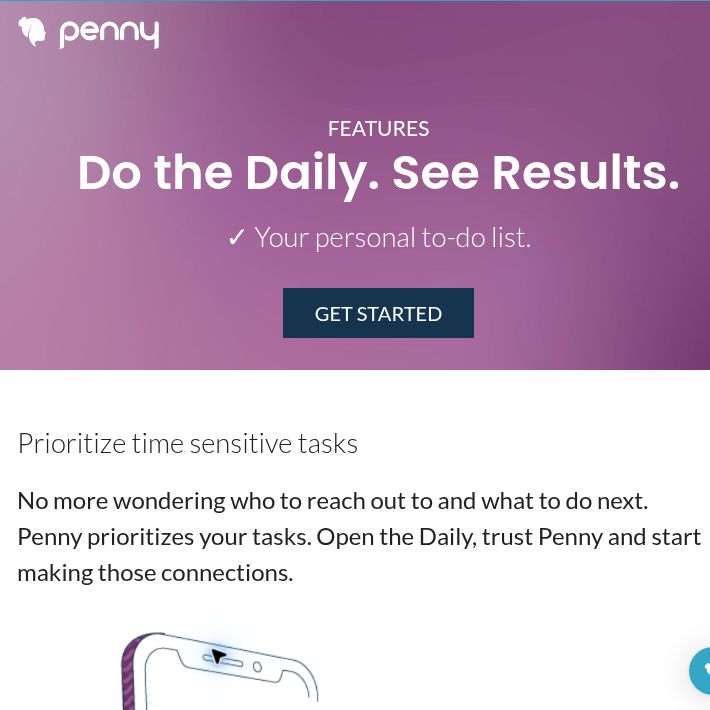
Screenshot of Penny’s official Daily feature page, captured October 18, 2026. Marketing view; no account workflow was tested.
Penny AI is a contact and task-management assistant for direct sellers and social-selling teams. It organizes follow-ups, customer care and daily work, with scripts and learning resources that can support a seller’s routine. This review covers Penny App, rather than a general-purpose shopping assistant or a promise of business income.
The current homepage introduces Endlss, a separate ambassador-program product for Shopify brands built by the Penny team. It explicitly directs Penny App visitors to continue further down the same site. That announcement does not establish that Penny has closed or that its plans have become Endlss plans.
We reviewed public product pages and policies. We have not imported contacts, connected a sales account, sent messages or tested business results.
How Penny Organizes Sales Work
- The Daily: a prioritized task list with workload settings and completion tracking, described on the Daily feature page.
- Prospecting and customer care: reminders for follow-ups, order check-ins and reconnecting with previous customers.
- Contact records: notes, tags and profiles. The contact-management page advertises adding or updating contacts while browsing Facebook, Instagram and LinkedIn.
- Scripts and learning: the homepage promotes AI-generated script assistance and short learning modules, alongside team-related workflows.
Automating a task reminder is different from sending a message. Confirm the exact messaging workflow, permissions and plan before enabling a feature. Likewise, adding a social contact does not establish complete, continuous synchronization of every conversation or social platform.
For a company rollout, ask which back-office integrations, learning content and team permissions are included. The presence of a feature on the website does not mean every individual account receives the same configuration.
Essential, Thrive and Partnership Pricing
The public pricing page lists:
- Essential: free. Advertised limits include five customers in the care cycle, one custom content item and one custom list, with unlimited prospecting.
- Thrive: displayed $8.99 per month. The page describes expanded customer/content capacity and features such as multi-SMS outreach.
- Partnership: custom pricing. Intended for company-wide deployment and back-office integration.
The page offers a 14-day Thrive trial requiring a credit card. Essential can be started without a card. Confirm the currency, applicable taxes, trial-to-paid transition and final renewal charge before accepting an offer; we did not inspect checkout.
The US Apple listing separately shows a Penny Thrive Annual purchase at $83.99, along with Thrive and Pro entries. This is store-specific evidence, not confirmation of a current annual web offer or eligibility for every account. Do not budget from the older approximate $6.99 monthly annual-plan claim without checking the actual annual charge.
Apps, Renewal and Cancellation
Penny offers web access and listings on Google Play and the Apple App Store. The inspected Apple listing is designed for iPhone and requires iOS 15.6 or later. Although the website also mentions iPad, verify compatibility on your device rather than assuming an iPad-specific app.
The published terms, last updated July 21, 2021, describe automatic renewal and cancellation before the next renewal date. Cancel through web billing for a web purchase or through the relevant app store for a store purchase. Access continues through the paid period, then reverts to free functionality.
The terms state a no-refund policy, including partially used subscription periods. Check the applicable store rules and any rights that apply to your purchase. Cancelling a paid plan and requesting account/data deletion are separate actions.
A Practical Customer-Care Example
Hypothetical example: a seller wants to check whether an existing customer received an order and needs help using it.
- Confirm the relationship and permission. Record only the contact information you are authorized to use, along with the customer’s preferred communication channel.
- Check the order facts. Use the real dispatch or delivery status; do not let a reminder substitute for checking whether the parcel arrived.
- Review the suggested message. Keep it brief and relevant. Remove invented familiarity, unsupported product benefits or pressure to reorder.
- Record the response accurately. A customer asking for assistance is not automatically a sales opportunity. Respect requests for no further messages.
- Set a useful next task. If follow-up is welcome, schedule it around the actual issue rather than an arbitrary sales cadence.
This is an editorial workflow, not a Penny case study. Evaluate whether the system helps you keep accurate records and respond appropriately, rather than treating completed tasks as proof of increased revenue.
Contact Data and Privacy
The privacy policy, dated March 20, 2024, covers customer/contact records, order information, device and usage data, and location information. It requires appropriate authorization for imported contact lists. Company subscribers may receive consultant and customer information collected on their behalf; check who can see your records in a company-sponsored account.
The policy describes US storage and retention based on purpose and legal needs, potentially beyond the customer relationship. It also describes service-provider sharing and use of customer data to improve services. It is not a zero-retention or blanket no-training promise.
The subprocessor list, updated September 23, 2024, includes OpenAI for AI-enabled functionality and identifies user-generated content among the processed data. Ask for the current processing agreement and deletion process before adding confidential material. Avoid unnecessary sensitive notes about customers or colleagues.
Who Might Find Penny Useful?
Penny may suit sellers who already have legitimate customer relationships and want a repeatable follow-up routine. It does not establish that a direct-sales opportunity is profitable, guarantee repeat orders or make mass outreach appropriate. Review scripts, consent and product claims yourself.
Start by comparing your real contact-management needs with Essential’s limits. For broader options, browse our AI tools directory. Choose a tool because its workflow fits your work, not because marketing language promises growth.


