
Updated October 26, 2026
| Name | Overtune |
| Overview | Overtune is a loop-based beatmaker tailored for singer-songwriters. Its beat library uses producer-created loops rather than AI-generated beats; AI voice effects are a separate feature described in its iOS materials. It boasts a straightforward music sequencer that enables users to effortlessly arrange and customize beats. Users can adjust and trim loops; official iOS guides also describe real-time recording with AI voice effects and vocal filters. The browser support page instead directs users to export their beat and record vocals in other software. The documented iOS recording workflow supports up to four vocal tracks for harmonies and backing vocals. Overtune provides themed sound packs for mixing and, with PRO, exporting a master audio file or separate stems. Its loops are royalty-free but non-exclusive; distribution remains subject to the licence terms, and distributors may require disclosure of licensed material. Overtune’s guides and app listing also point users to its Discord community for help and updates. Its producer-made sound packs and straightforward arrangement workflow are intended to make music creation accessible. |
| Key features & benefits |
|
| Use cases and applications |
|
| Who uses? | Singer-songwriters and music producers. |
| Pricing | Free version available with additional features accessible via subscription. Free access covers arranging with most loops and saving projects; PRO is required for audio exports and the distribution licence. The support page says licences for downloads made during an active subscription remain after cancellation, but new exports require an active subscription. Confirm the platform, billing period and local price before subscribing. |
| Tags | Loop-based beatmaker, music sequencer, AI voice effects, music creation, sound packs. |
| App available? | Yes. The iPhone app is published by OverTune (App Store ID 1594623802). Overtune also has browser access and a Windows/macOS desktop version through MuseHub. Browser and iOS projects do not sync, and the official desktop guide says MuseHub and web accounts do not sync. Features differ by platform. |
Sources: Producer-made loops; free arrangement versus PRO export; published monthly offer · Browser/iOS differences, export and licence conditions · Exact original iPhone app identity and recording features · Four simultaneous vocal tracks and per-track voice filters · Browser and Windows/macOS via MuseHub; separate account systems
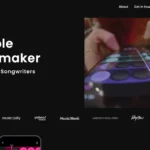
Historical Overtune homepage showing its “Simple Beatmaker” branding and phone preview.