
Updated: October 25, 2026
| Name | MacGPT |
| Overview | MacGPT is a native application specifically designed for macOS users, offering seamless access to a sophisticated chatbot powered by advanced language models. The application allows users to initiate conversations directly from the menu bar without the need for typing by utilizing a hands-free conversational mode. MacGPT supports ChatGPT web-account access and native access using your own OpenAI API key; API usage is billed separately from a ChatGPT subscription. Related products in the developer’s catalogue include Vivid, MacPoe and Cooldown. These are separate apps, not built-in MacGPT utilities. The developer’s press kit describes a free download with optional support for a Christmas tree; check the current Gumroad offer before downloading. |
| Key features & benefits |
|
| Use cases and applications |
|
| Who uses? | General public, Students, Professionals, Researchers |
| Pricing | The exact Gumroad offer checked on October 25, 2026 displays £0+ in the detected British-pound storefront: a pay-what-you-want personal licence with a one-time payment and no app subscription. The developer’s Christmas-tree support note is historical optional-contribution context, not a required fee. Native API usage has separate OpenAI charges; a ChatGPT subscription does not include paid API usage. |
| Tags | Chatbot, AI, macOS, Productivity, Personal Assistant |
| App available? | MacGPT is a macOS app; its current seller page lists macOS 12 and later, with Global and Inline requiring Ventura or newer and a separately billed API key. The developer also offers the separate GeePeeTee app for iPhone (App Store ID 6446040815), which uses your own API key. Check current model compatibility rather than relying on older waitlist instructions. |
Sources: MacGPT features and companion app; Developer press kit and download offer; Publisher product catalogue; MacGPT download offer; Separate ChatGPT and API billing.
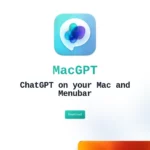
Image context: The existing image is the earlier MacGPT homepage with its app icon and “ChatGPT on your Mac and Menubar” heading. It identifies the Mac application, not proof of current operating-system or model compatibility; the capture date is unavailable.