Updated October 30, 2026
Features, uses and access
| Name | EmojAi (styled EmojAI on its website) |
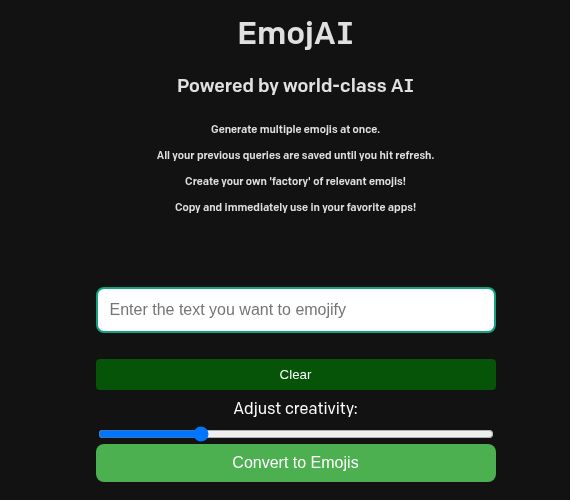
| Overview | EmojAI is a browser-based text-to-emoji tool. Its public page offers emoji suggestions from a text prompt; suggestions still need a human check for tone and meaning. The current page does not identify the underlying model or API. |
| Key features & benefits |
|
| Use cases and applications | Brainstorm emoji accents for social captions, informal messages and community posts. Copying suggestions into another app does not establish a chatbot integration. |
| Who uses? | Content creators, social media managers and people drafting informal messages. |
| Pricing | No price, paid-tier details or usage allowance was shown on the reviewed public page. A free plan with premium features could not be confirmed. |
| Tags | AI, Emoji Suggestions, Text to Emoji, Communication |
| App available? | A browser interface is available. The website also links to an EmojAI GPT, whose functioning was not tested. A separate mobile app was not verified. |
Keep the message understandable without emojis
For a picnic invitation, a useful prompt might be “outdoor lunch with friends.” Choose only symbols that fit your audience, then keep the time and location in ordinary text. This is a suggested workflow, not a recorded EmojAI result. Avoid replacing important instructions with ambiguous symbols, and do not submit private information without understanding the service’s data practices.
Source checked October 29, 2026 (UTC): EmojAI’s public interface. No prompt was submitted, no output generated and no payment or account created for this review.
Image context: Screenshot of EmojAI’s official empty browser interface, captured October 29, 2026 (UTC). The provider’s promotional wording and statement that queries remain until refresh are not independent guarantees of output quality or data retention. No prompt was submitted and no emoji result was generated for this review.