
Updated October 26, 2026
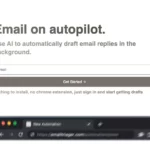
Existing EmailTriager homepage image; capture date unknown. Its autopilot wording is provider promotion, not autonomous sending: the current documented workflow creates drafts in Gmail for the user to review and send.
| Name | EmailTriager |
| Overview | EmailTriager is an AI-powered tool designed to enhance email inbox management for users. It automates the drafting of emails and suggests reply options based on the content received. The provider describes background Gmail integration without a Chrome extension or separate installation; drafts appear in Gmail for the user to review and send, rather than being sent automatically. Its plain-English suggestions and drafts are intended to help with email workload; review recipients, facts and wording before sending, rather than assuming every draft is appropriate. |
| Key features & benefits |
|
| Use cases and applications |
|
| Who uses? |
|
| Pricing | Current numeric prices and a free allowance were not verified in the public pricing display. The provider says only an Accepted Draft—one you send with fewer than 20% of its words changed—counts toward a monthly quota; heavily edited or deleted drafts do not. Confirm the current allowance and charge before subscribing. |
| Tags | Email management, AI tools, Automated emails, Productivity tools |
| App available? | Gmail integration: drafts appear directly in Gmail, without a Chrome extension or separate installation. The user reviews and sends them; native mobile app availability was not independently verified. |
Sources: Provider Gmail workflow; Pricing FAQ and manual sending. Checked October 26, 2026.