
Code Snippets AI
Development

Code Snippets AI

Visit website

Explore Code Snippets AI for generation, explanation and snippet storage, with desktop and VS Code access, bring-your-own-key costs and review limits.

Code Snippets AI

Updated October 24, 2026

Name Code Snippets AI
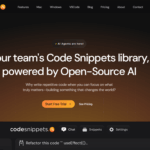
Overview Code Snippets AI is an advanced tool designed to help developers write, manage, and optimize code efficiently. It leverages AI to generate code snippets, explain code, and suggest improvements for developer review. Perfect for individual developers and teams.
Key features & benefits
  • AI-powered code generation for multiple languages
  • Code optimization and best practice recommendations
  • Snippet storage and management
  • Real-time code explanation and debugging help
  • Accelerates development and reduces repetitive tasks
Use cases and applications
  • Writing reusable code snippets quickly
  • Learning new programming languages
  • Debugging and optimizing existing code
  •  Automating repetitive coding tasks
Who uses? Developers, software engineers, coding bootcamp students, tech startups, and teams managing large codebases
Pricing
  • Basic: Free desktop software with a five-snippet library limit. Bring your own AI key for cloud models through OpenRouter, or configure local models through Ollama; provider usage can have separate costs.
  • Pro: $9 per user per month with monthly billing, or $7.50 per user per month as the annual-billing equivalent.
  • Enterprise: $15 per month with monthly billing, or $12.50 per month as the annual-billing equivalent. The displayed Enterprise seat basis is not explicit; confirm it at checkout.

These USD prices were checked using the monthly and yearly billing selections on October 24, 2026. Annual figures are monthly equivalents, not monthly payment amounts. Confirm the final charge, Enterprise seat basis, applicable taxes and trial conditions at checkout.

Tags AI coding, code generator, developer tools, productivity, software development
App available? Mac and Windows desktop downloads, an online account and an official VS Code extension are available. An extension access token is not evidence of a generally available public integration API; confirm integration requirements with the vendor.

Use generated code as a draft

Start with a small task, review the suggested changes and run relevant tests before using the result. Check dependencies, security-sensitive logic and licenses. Confirm whether your selected model runs locally or sends code to a cloud provider; local indexing alone does not mean every AI request stays on your device. Do not include secrets or code you are not authorized to share.

Official sources: Product and downloads · Current plan structure · Official VS Code extension · Terms and billing conditions

KEEP EXPLORING

More tools to discover.

gooseai

Goose AI offers a cost-effective NLP-as-a-Service platform, providing API access to various open-source large language models for text generation and more.

DevelopmentExplore
Abacus.AI homepage with a purple illustration of connected MLOps machinery and figures on a navy background

Explore Abacus.AI ChatLLM, AI Agent, and enterprise MLOps, with current plan prices, credit limits, app availability, and privacy considerations.

DevelopmentExplore
scale

Explore Scale AI’s data annotation, curation and evaluation services for AI teams. Review supported data types, project requirements and current pricing access.

DevelopmentExplore
cron ai

Cron AI turns natural-language schedules into cron expressions. Configure the generated syntax in your own scheduler for backup, script and reporting tasks.

DevelopmentExplore
mutable

Understand Mutable.ai’s historical coding and Auto Wiki tools, its acquired status, and limits on current access, pricing and account continuity.

DevelopmentExplore
ethercto

Review EtherCTO’s earlier CTO-led startup support, MVP and no-code service claims, with clear limits on current availability, pricing and verification.

DevelopmentExplore
Find your next starting point