Updated October 27, 2026.
| Name | Audio Muse |
| Overview | Audio Muse provides browser-based audio editing and AI processing tools for music, podcasts, voiceovers and video soundtracks. The provider describes a multitrack editor with free import, editing and export, no signup required, alongside credit-based enhancement, noise reduction, separation, AI mixing and mastering. Local editing and cloud AI processing have different requirements; a browser interface does not mean every operation stays on your device. |
| Key features & benefits |
|
| Use cases and applications |
|
| Who uses? |
|
| Pricing |
The free local Audio Editor is separate from chargeable AI processing. The reviewed pricing page displays these new-purchase monthly memberships:
Memberships are billed monthly; their credits expire with the current billing period and do not roll over. The Pay as you go view displays one-time packs of 400 credits for $4.99, 600 for $5.99 and 2,800 for $24.99, valid for 730 days. These are displayed dollar amounts, not a verified currency/tax-inclusive checkout quote; confirm the selected offer before buying. Existing purchases are protected: the provider says existing subscriptions and previously purchased credits retain their original purchasing power, renewal price and expiry. Existing weekly subscribers can keep their plan; voluntary changes begin after the current billing period. Do not apply the new-purchase figures automatically to a legacy account. |
| Tags | Audio editing, audio enhancement, background music preparation, audio tools |
| App available? | Browser-based editors and processing tools; no download is required for the advertised editor. Standalone native mobile-app availability was not established by the reviewed pages. |
How processing credits are charged
Credits are usage units, not dollars. The current usage guide lists:
- Audio enhancement and noise reduction: 10 credits per minute.
- Vocal and backing-vocal separation: 20 credits per minute.
- Stem splitting: 20 credits per minute per separation type, not per output file.
- AI mastering: 600 credits per song.
- AI mixing: 800 credits per project.
- Local audio and video editing: free.
Enhancement and noise reduction have a 30-credit minimum per file, with duration rounded up to the next minute. Under these new-purchase rates, enhancing a 2-minute-20-second file rounds to three minutes and costs 30 credits. A 30-second file also costs 30 credits because of the minimum. These examples are calculations from the published rules, not completed processing tests; previously purchased credits retain their protected legacy rates.
Music-generation claims and output limits
An earlier version of this listing described genre, theme and mood controls for AI-generated music, unlimited track creation and copyright-free background tracks. The reviewed homepage, editor introduction and AI Tools menu establish the editing and processing toolkit above, but do not verify those generation settings or an unlimited-generation entitlement. This is not a finding that music generation has been discontinued. Check the actual tool and account allowance before relying on those earlier claims.
The provider’s Terms say users retain the rights they already have, subject to third-party rights; they do not promise that every output is copyright-free. AI processing can leave artifacts or remove wanted sounds. Preview important passages and keep the original. Some AI tools upload files for cloud processing, while the Audio Editor works locally according to the provider. Browser-stored projects are not a permanent backup. Paying users’ processed files are advertised as stored for 30 days, so download anything you need to keep.
Sources
Provider information reviewed October 27, 2026: Audio Muse homepage, free Audio Editor introduction, membership, one-time packs and credit usage, and Terms of Service. No account, purchase, audio processing or output-quality test was performed.
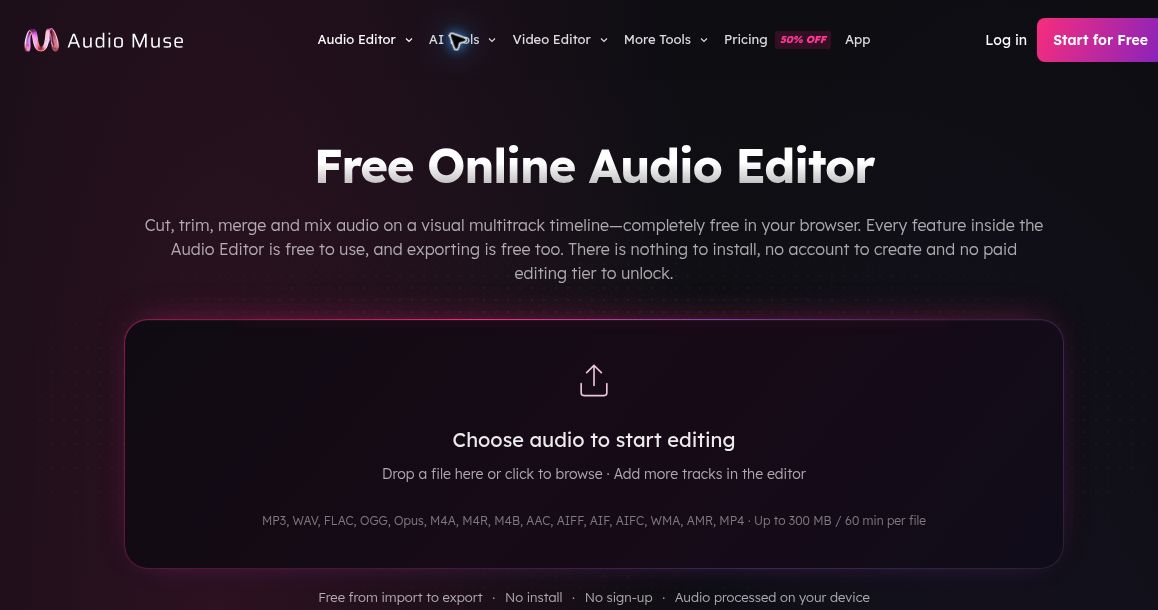
Image: public Audio Muse Audio Editor page, captured October 27, 2026. Free editing applies to the Audio Editor, not all AI processing; no file was uploaded or tested. Navigation promotions are provider claims, not verified checkout discounts.
Browse more AI tools.