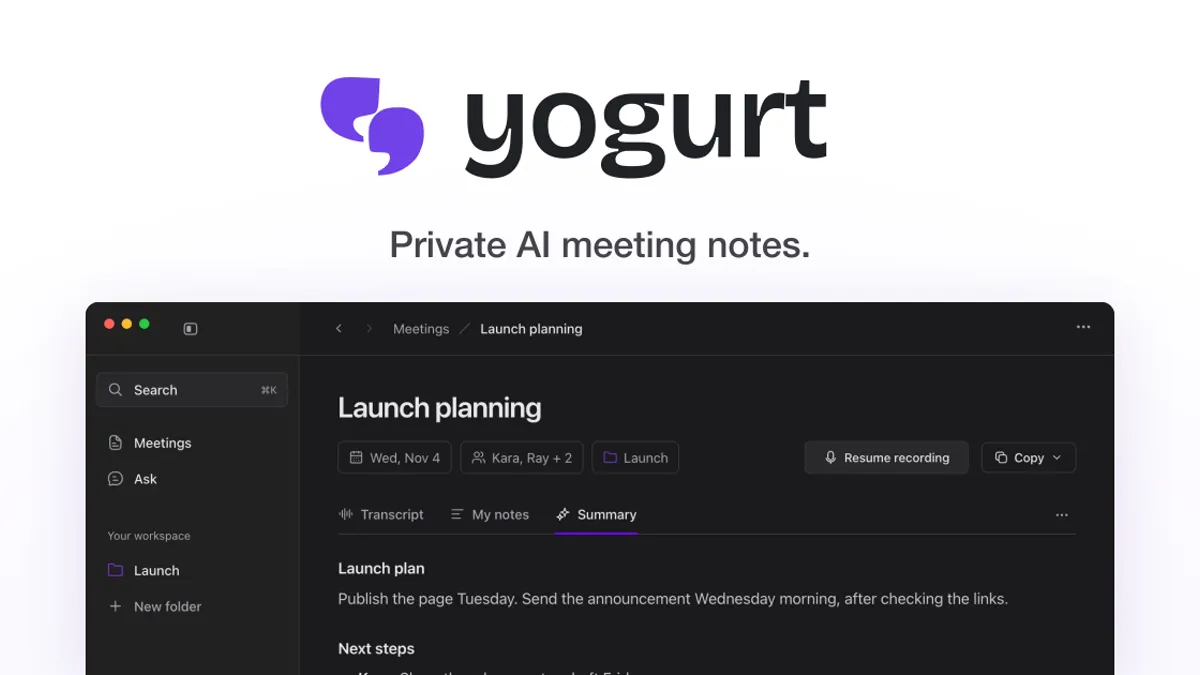
Yogurt is a free, open-source AI meeting notes app that keeps everything on your own computer. It records your calls, transcribes them and writes summaries with AI models that run locally, so no bot ever joins the meeting and nothing is uploaded to the cloud. Built by Frigade and backed by Y Combinator, Yogurt appeared on Show HN on 11 November 2026 and launched on Product Hunt on 12 November 2026. You can see the official site at https://yogurt.so/.
What is Yogurt?
Yogurt is a desktop app for Mac, Windows and Linux that takes meeting notes the private way. Instead of adding a bot to the call, it records your microphone and the audio playing on your computer, so nobody else on the call needs to install anything. After the call, your own notes and the conversation become one set of notes, with a summary and next steps.
The app is free and open source under the MIT license, with no account and no paid tier. The maker built it in spare time because useful AI meeting notes should not require sending conversations to the cloud or paying for another subscription.
Key features
- Records in the background with Zoom, Google Meet and Teams, and shows a live transcript while the call runs.
- Transcribes on device with whisper.cpp, or with Apple’s on-device SpeechAnalyzer on supported Macs, and writes summaries with a local open-weight model through llama.cpp.
- Lets you jot a thought during the call and merges it with the transcript into one set of notes, with next steps attached to people.
- Answers questions about what you missed, from a single meeting, a folder or all your meetings, even during the call.
- Stops recording when the call does, replays the full audio, and exports notes as Markdown.
- Offers a local MCP server so you can share notes with Claude, ChatGPT or other AI apps directly, without a paid cloud middleman.
- Keeps recordings, transcripts and notes in a local folder, and works offline after a one-time download of the AI models.
How it works
Download Yogurt for Mac, Windows or Linux and start a call as normal. Yogurt listens to your microphone and your computer audio, transcribes as people speak and lets you add notes when something matters. When the call ends, it writes a summary with the plan and who owes what by when, and you can ask it questions and get answers drawn from the meeting itself.
Because the AI runs on your computer, setup picks and downloads the models that fit your hardware. Your computer needs at least 8 GB of memory: a Mac with Apple silicon and macOS 14.4 or newer, a 64-bit PC with Windows 10 version 2004 or newer, or a 64-bit Linux computer with Ubuntu 22.04 or newer. Calendar and speaker names are Mac only for now.
Who is it for?
Yogurt fits anyone who wants AI meeting notes without uploading sensitive calls: founders, freelancers, engineers and teams that discuss unreleased plans or customer data. It also fits people who are tired of paying a monthly subscription for note taking, and of a bot announcing itself in every meeting. Because it is open source, it suits teams that want to check what the software does before trusting it with their calls.
Pricing
Yogurt is free. There is no account, no paid tier and no subscription: the app is free and open source under the MIT license, and the download for Mac, Windows and Linux costs nothing. You can see the official site at https://yogurt.so/.
Pricing may change; see the official website for current pricing. Details reflect the official site as checked on 13 November 2026.
Image: yogurt.so (official visual)