
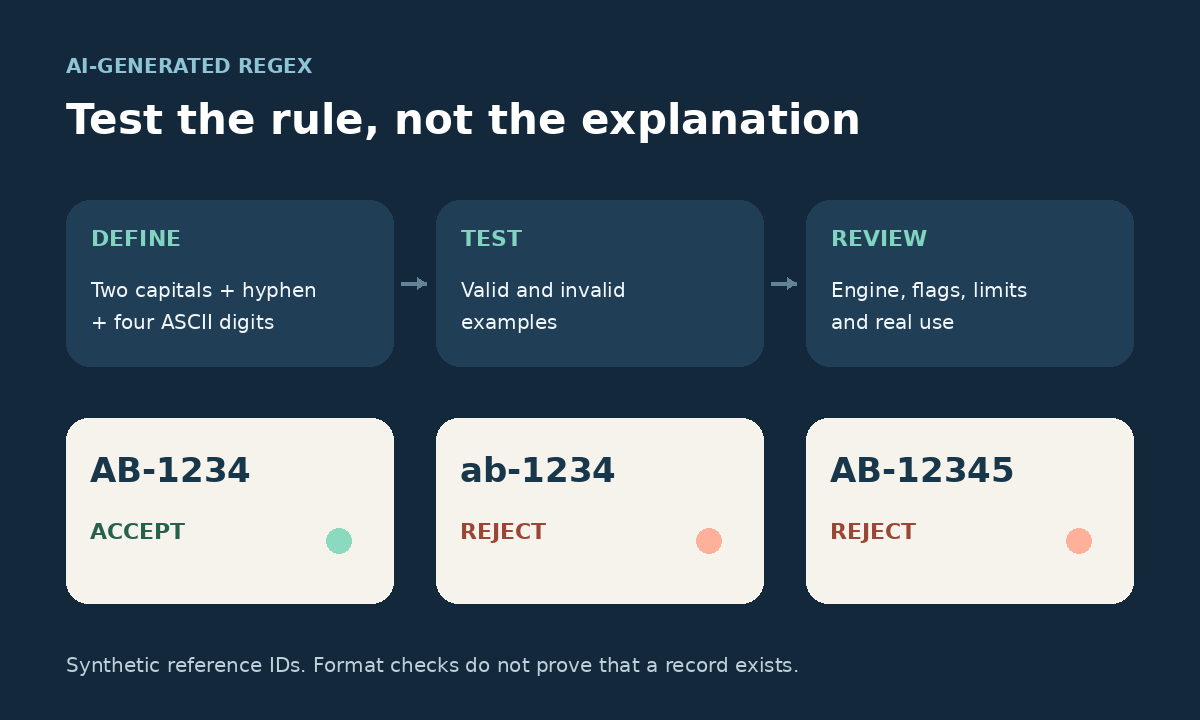
An AI-generated regular expression can match your example and still accept inputs you meant to reject. Before using it in a form, import script, or automation, write down the allowed format and test both valid and invalid values in the language that will run it.
This walkthrough uses fictional reference IDs and JavaScript. The deliberately flawed candidate illustrates a possible AI mistake; it is not an output attributed to a particular assistant or a benchmark of an AI product.
1. Decide the expected answers first
Our rule is specific: a reference ID must be a string containing exactly two uppercase ASCII letters, one ordinary hyphen, and four ASCII digits. The complete value must fit that format. Leading zeros are allowed; spaces, line breaks, extra text, and lowercase letters are not.
- Accept:
AB-1234,AZ-0000, andZZ-9999. - Reject:
ab-1234,A-1234,AB-123, andAB-12345. - Reject: a valid-looking ID inside a sentence, an ID followed by a newline, and an empty value.
These decisions belong to the workflow owner. If your application should accept lowercase or remove surrounding spaces, specify that separately rather than letting an AI-generated pattern silently change the policy.
When requesting the pattern, name JavaScript, provide these examples, and ask the assistant to explain the anchors, character ranges, repetition counts, and flags. Ask for additional failure cases, but check their expected answers yourself.
2. Look for accidental substring matches
Consider this plausible but incorrect candidate:
const candidate = /[A-Z]+-\d+/i;
console.log(candidate.test("AB-1234")); // true
console.log(candidate.test("note: ab-12345!")); // true
The first result looks reassuring. The second reveals several problems: the pattern can find a matching substring, the + signs allow variable lengths, and i ignores case. Finding an ID inside text is useful for extraction, but our task is validation of the entire field.
Test one defect at a time too. Try an extra letter, an extra digit, a prefix, and a suffix separately. A single complicated failure does not show which condition caused it, while small changes make debugging easier.
3. Read the corrected pattern in pieces
const idPattern = /^[A-Z]{2}-[0-9]{4}$/;

function isReferenceId(value) {
  return typeof value === "string" && idPattern.test(value);
}^and$require the match to reach the input boundaries with these flags.[A-Z]{2}requires exactly two uppercase ASCII letters.-matches the ordinary hyphen.[0-9]{4}requires exactly four ASCII digits.- There are no flags after the closing slash.
MDN documents JavaScript’s input-boundary assertions, character classes, and exact repetition counts. In JavaScript, \d also means [0-9]; spelling out the range makes this example’s ASCII requirement visible. Avoid substituting \w for letters, since it also permits digits and underscores.
The type check rejects non-string values before JavaScript’s regex method can convert them to strings. Keep the check when your input can come from more than a text field.
4. Run the final test matrix
Run the function above with this matrix in a local JavaScript environment. Each pair contains an input and its expected result. The escapes represent actual whitespace characters in the strings: \n is a line feed, \r a carriage return, and \t a tab.
const cases = [
  ["AB-1234", true],
  ["AZ-0000", true],
  ["ZZ-9999", true],
  ["ab-1234", false],
  ["Ab-1234", false],
  ["A-1234", false],
  ["ABC-1234", false],
  ["AB-123", false],
  ["AB-12345", false],
  ["AB_1234", false],
  ["AB–1234", false], // en dash, not a hyphen
  ["AB-1234", false], // full-width digits
  ["AÉ-1234", false],
  ["prefix AB-1234", false],
  ["AB-1234 suffix", false],
  [" AB-1234", false],
  ["AB-1234 ", false],
  ["AB-\t1234", false],
  ["AB-1234\n", false],
  ["AB-1234\r\n", false],
  ["note\nAB-1234\nend", false],
  ["", false],
  [null, false]
];

let failures = 0;
for (const [value, expected] of cases) {
  const actual = isReferenceId(value);
  if (actual !== expected) {
    failures += 1;
    console.error({ value, expected, actual });
  }
}
console.log(`${cases.length} cases; ${failures} failures`);
The example was run locally in Node.js 24.22.1 and returned 23 cases; 0 failures. That verifies these synthetic cases in that runtime. Rerun them in your target environment and retain any newly discovered failure as a regression test.
5. Check flags and cleanup outside the regex
Newlines and whitespace
Without m, the corrected JavaScript pattern rejects the trailing newline cases above. Adding m lets the anchors work at line boundaries, so a matching line inside a larger string can pass. Do not copy boundary assumptions from a different regex engine without checking them.
Also inspect the surrounding code. Calling trim() before validation would turn a space-padded value into an acceptable ID. That may be a deliberate feature elsewhere, but it violates this exercise’s raw-input rule. Test the complete function your application calls, including any cleanup.
Repeated calls
A reused regex with g or y keeps a lastIndex position, as MDN’s test() reference explains. With the same anchored pattern plus g, three tests of AB-1234 can return true, false, then true. Leave these flags off this validator and test repeated calls, not only isolated examples.
6. Keep performance and business checks separate
More complex expressions need performance review. OWASP’s ReDoS guidance explains how certain patterns, including repeated groups with overlapping matches, can take excessive time on crafted input. A few correct examples do not establish performance safety. Use application-appropriate input limits and an isolated, time-limited test process for suspicious patterns, never a live service.
This validator checks format only. It cannot establish that a reference exists, belongs to the current user, or is authorized for an action. Those require separate application checks. Keep the rule, pattern, flags, runtime, and test results together so a later edit can be reviewed.
If IDs arrive through a generated file, also check the AI-generated CSV before importing it. A passing format test does not prove that the source data was copied accurately.




[…] a small example of reviewing generated code, see our guide to testing an AI-generated regular expression before using […]