Updated October 17, 2026
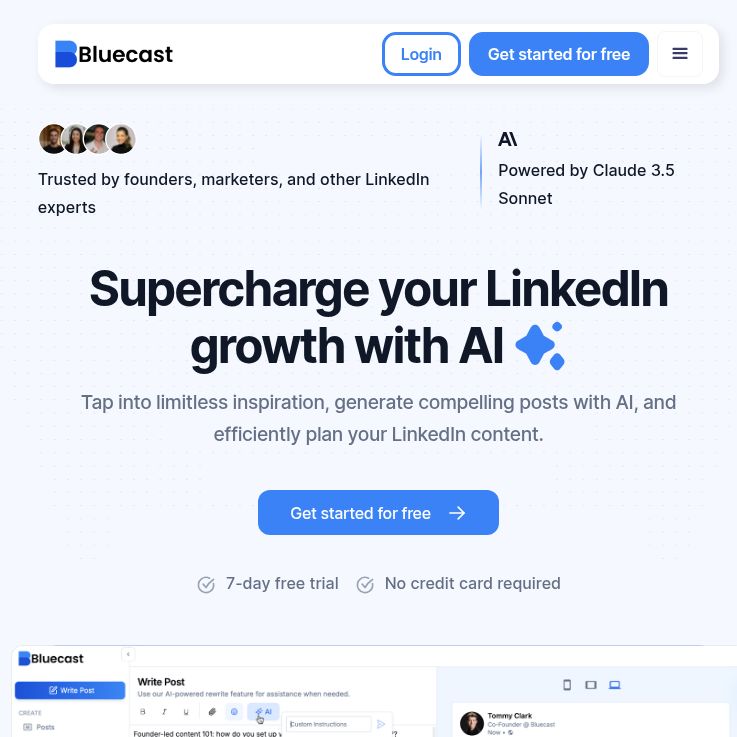
Screenshot: Bluecast official homepage, captured October 18, 2026. Public marketing and product preview; no account or writing workflow was tested.
Bluecast AI is a LinkedIn-focused content tool for developing post ideas, drafting updates and planning publication. It is aimed at people who already have expertise or useful material to share but want a more organized writing routine. Its value should be judged by how well it supports your editorial process, rather than by promises of automatic audience growth.
This overview is based on public product pages and policies checked on October 17, 2026. We have not created an account, generated posts or tested publishing. Features below are the provider’s advertised capabilities.
What does Bluecast AI offer?
The official Bluecast website describes AI-assisted drafting, idea generation, saved concepts, a creator-inspiration feed and a calendar for scheduling posts and comments. The emphasis is LinkedIn content creation.
Its plan comparison also advertises a custom writing voice, post formatting and previews, plus repurposing from YouTube, blogs, PDFs and audio. Supported input lengths, file restrictions and the behavior of each import method should be checked in the product before committing a large project.
A preview is useful for reviewing structure, but it does not replace checking the final post. Likewise, an inspiration feed can help you study topics and approaches; another creator’s wording, story or results should not become your own without appropriate permission and attribution.
Who might find it useful?
- Founders and consultants: turn a genuine customer question or professional lesson into a focused explanation.
- Subject-matter experts: develop several distinct angles from an article or presentation they own.
- Content marketers: organize a repeatable review process around approved source material and a realistic posting schedule.
These are suggested use cases, not verified customer outcomes. If you need team approvals, detailed performance reporting, company-page support or publishing across several social networks, confirm those requirements directly. Do not assume they are included simply because a tool can draft and schedule LinkedIn posts.
Plans, trial and billing checks
The pricing page lists Pro and Grow, with monthly and annual billing choices. Grow advertises a larger generation allowance, three workspaces and priority email support. It also offers a seven-day trial without a credit card; the FAQ says access ends unless you upgrade.
We are not quoting a checkout-verified price. Before paying, confirm the currency, billing interval, total charge, taxes, allowance reset period and workspace permissions. A monthly equivalent for an annual commitment is different from paying month to month. Test whether your expected number of drafts and revisions fits the selected allowance.
The subscription terms describe advance billing and automatic renewal unless cancelled. They state a 30-day refund window from the original purchase. Check the applicable purchase conditions and cancellation route before subscribing.
A practical content workflow
Hypothetical example: a consultant has published an article explaining three common onboarding mistakes. The following is an editorial workflow you could evaluate with Bluecast; it is not a record of a product test or observed AI output.
- Choose material you can use. Start with your own published article or approved notes. Remove private client details and statements that require additional permission.
- Define one reader and one takeaway. For example, help a first-time team lead prepare a clearer first-week checklist. Avoid turning the entire article into one crowded post.
- Draft distinct angles. One post might explain a mistake; another might offer a short checklist. Give each its own purpose instead of publishing near-identical variations.
- Supply your real perspective. Add an experience you can substantiate, a practical qualification or a question you genuinely want to discuss. Do not accept invented first-person stories.
- Review claims and voice. Check names, quotations, numbers, dates and promises against the source. Replace generic phrasing with language you would actually use.
- Inspect before scheduling. Review line breaks, links, image permissions and the selected destination. Confirm the time zone and scheduled date in the product.
- Evaluate the published result. Keep a record of corrections, editing time and the quality of discussion. Use those observations to decide whether the workflow is worthwhile.
A useful trial question is: “Can I produce an accurate post I would be comfortable signing, with less repetitive work?” That is more informative than counting how many drafts a generator can produce.
Privacy and content responsibilities
Bluecast’s privacy policy, dated September 20, 2024, describes collecting account, LinkedIn-profile, usage and uploaded-content data. It allows sharing with service providers and describes processing in the United States. The reviewed policy does not specify a content-retention period or expressly promise that uploads are excluded from AI-model training.
For confidential business material, ask about those points before uploading it. Use non-sensitive examples during an initial evaluation and follow your organization’s approval requirements. A privacy-policy link is not, by itself, proof that a service fits a particular company’s requirements.
The terms say users retain their content rights while granting Bluecast a license covering use, modification and distribution through the service, including availability to other users. They also place responsibility for content and third-party rights on the user and prohibit use that violates LinkedIn’s terms. Review generated text and the permissions requested when connecting an account.
Limitations to keep in mind
- Writing quality needs human review. A fluent draft may still contain unsupported claims, repetitive advice or a tone that does not sound like you.
- Scheduling is not an engagement guarantee. Choose topics because they help your audience, and assess results from your own posts.
- Plan details need a final check. Confirm the actual offer and required integrations before subscribing or designing a team workflow around them.
- This overview is not hands-on testing. We have not verified import reliability, connected-account behavior, mobile usability or publishing success.
Bluecast is worth evaluating if your main need is a structured LinkedIn writing routine. Start with one low-risk piece of content and judge the quality of the edited result. For other kinds of writing and publishing workflows, browse GPTOnline’s AI tools directory.