Updated October 18, 2026. KaneAI is the natural-language software-testing product from TestMu AI, the company formerly branded LambdaTest. The current product page is hosted on TestMu AI. KaneAI remains the product name; this is a provider rebrand, not a separate replacement tool.
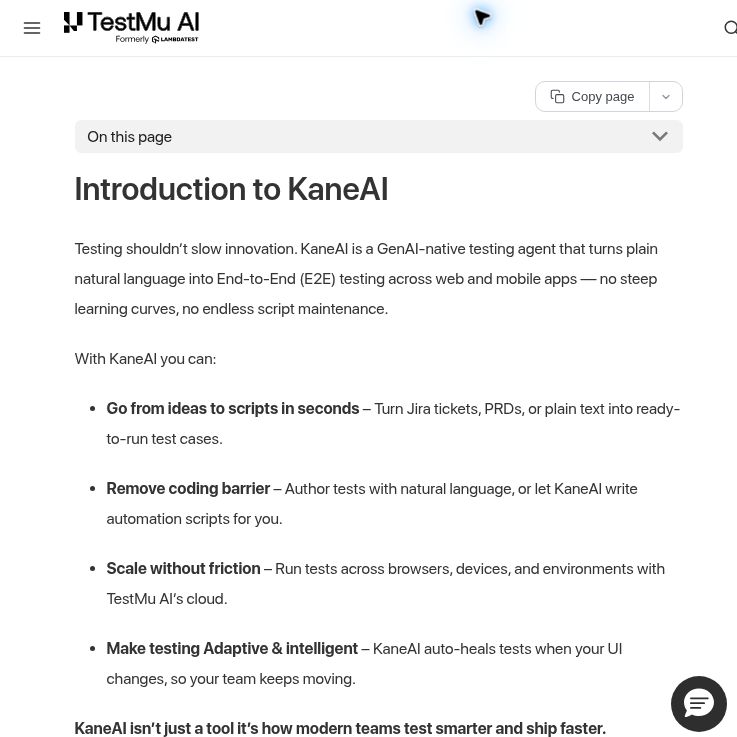
Screenshot of the official KaneAI introduction documentation, captured October 18, 2026. The text shown contains provider statements; no test was executed. The product homepage encountered a browser rendering error during this capture.
It is worth evaluating when a QA team wants to turn repeatable web or mobile journeys into executable tests while retaining human review. Its cloud interface and terminal companion, Kane CLI, serve different workflows, and the subscription tier determines which authoring environments are included.
What does KaneAI do?
The official introduction describes generating test cases from requirements or plain text, authoring instructions in natural language, and running tests across browser and device environments. KaneAI also supports manual interaction during authoring, so a tester can demonstrate an action instead of describing every click.
- Reviewable test steps: inspect the sequence and expected outcomes before relying on it in a release workflow.
- Maintenance features: the vendor describes self-healing for changed UI locators, version history, reusable modules, and conditional flows.
- Broader checks: the product page lists API, database, network, visual, and accessibility testing alongside UI testing. Check the documentation and entitlement for the particular workflow you need.
- Code export: the product FAQ lists Selenium, Playwright, Cypress, and Appium export options. Confirm the framework and language combination your team intends to maintain.
These are documented capabilities, not results from a hands-on test by GPTOnline. See the current KaneAI product page for its supported workflow.
KaneAI pricing and free evaluation
The following public list prices were checked on October 18, 2026. Amounts are in USD, per agent. Annual prices are monthly equivalents with annual billing; they are not month-to-month subscriptions.
Starter
- Monthly billing: $19 per agent/month
- Annual billing equivalent: $17 per agent/month
- Monthly allowance and authoring access: 2,000 credits; local authoring through Kane CLI
Pro
- Monthly billing: $99 per agent/month
- Annual billing equivalent: $89 per agent/month
- Monthly allowance and authoring access: 12,000 credits; cloud web authoring; 100 HyperExecute execution minutes
Max
- Monthly billing: $199 per agent/month
- Annual billing equivalent: $179 per agent/month
- Monthly allowance and authoring access: 25,000 credits; cloud web and mobile authoring; 300 HyperExecute execution minutes
Enterprise
- Monthly billing: Custom quote
- Annual billing equivalent: Custom quote
- Monthly allowance and authoring access: Contract-specific capacity and controls
Starter, Pro, and Max each include one Test Manager seat per agent; Enterprise seat allowances are set by contract. Credits, execution minutes, and agents are separate units; a credit allowance is not a guaranteed number of completed tests. The pricing page describes free signup and local Kane CLI evaluation but no permanent free KaneAI cloud plan. Confirm the current evaluation allowance, any additional execution charges, taxes, and renewal total before subscribing. The terms describe recurring subscriptions and non-refundable fees.
A practical way to evaluate it
Start with a small, reversible staging workflow whose correct result you can independently establish. Avoid starting with an entire checkout, production account administration, or a test whose success depends on unspecified AI judgment.
Hypothetical example: a team maintains a project-management app. Use a dedicated test account and ask KaneAI to open the staging Projects page, create a project named “QA Sandbox,” confirm it appears exactly once, rename it to “QA Sandbox Updated,” and verify the changed name. Specify the starting state and cleanup separately. This is an illustrative test design, not a run performed for this review.
- Write down the exact expected labels, account role, and pass/fail conditions before authoring.
- Follow the desktop-browser authoring guide to configure the session and create the steps.
- Inspect the generated assertions. A button click succeeding does not establish that the intended data was saved.
- Run against a known-good version, then introduce a controlled defect in a test environment. Check that the relevant assertion catches it.
- Review run evidence, maintenance effort, and credit consumption before expanding coverage.
The authoring guide distinguishes Ready, Unverified, and Faulty saved tests. A saved test with unexecuted or errored steps should not be treated as a verified regression check.
Limitations and data handling
The KaneAI FAQ warns that cloud sessions can be blocked by CAPTCHA or bot-protection challenges. Arrange an approved testing setup with the application’s owner; do not assume a natural-language agent can complete every production login. Private-network applications also need an appropriate connectivity setup.
Self-healing deserves review: if a UI changes, a test may adapt to a different element without preserving the business assertion you intended. Keep exploratory testing, security review, and release decisions with qualified people. A passing generated test only establishes what that test actually checked.
Under TestMu AI’s AI terms, customer data is not used to train models made available to other customers, while anonymized, aggregated AI data may be processed for platform improvement and security. The privacy policy separately states that generated test logs, videos, and screenshots are stored for 30 days by default. Review the applicable contract and retention settings before exposing application data. Use synthetic records and narrowly scoped test accounts where possible.
Who is it best suited to?
KaneAI is a candidate for developers and QA teams with repeatable workflows, clear acceptance criteria, and someone available to review generated tests. Evaluate Starter for local CLI authoring, Pro for cloud web authoring, and Max when cloud mobile authoring is required. Teams seeking a guarantee of defect-free software or unattended access through every authentication flow should set more realistic evaluation criteria.
Browse more developer tools in the GPTOnline directory.