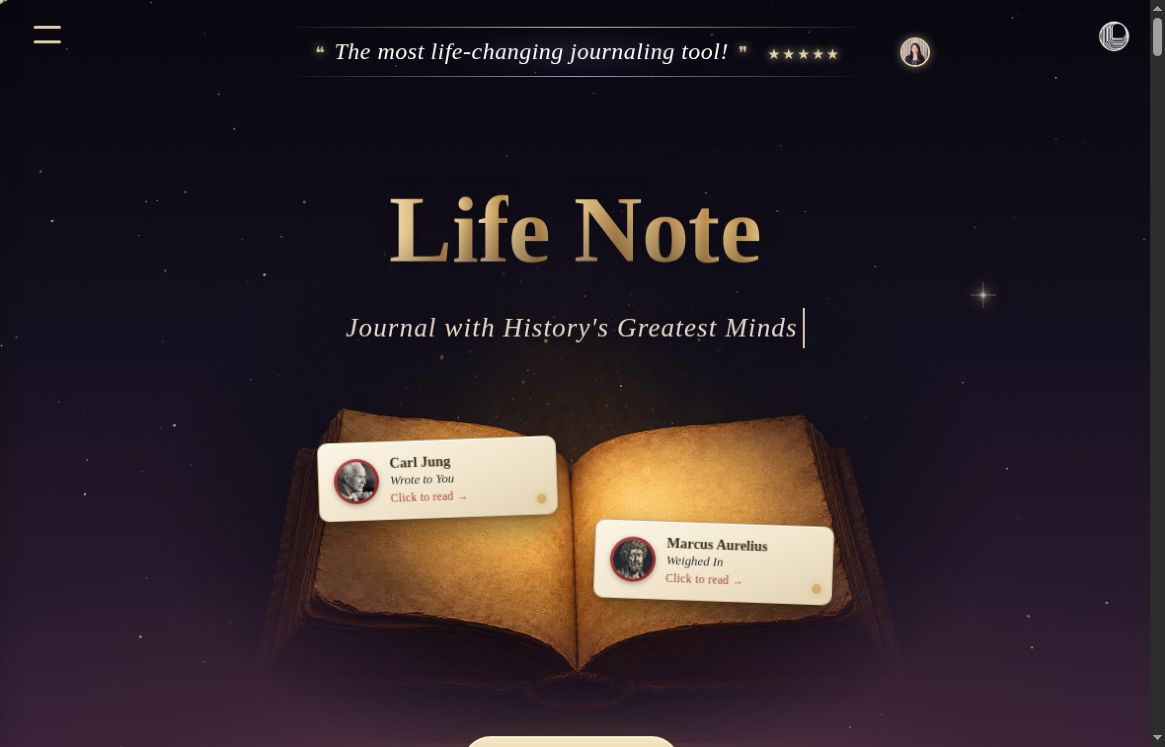
Image: Life Note official homepage, captured October 18, 2026. Screenshot for product identification; not a hands-on test.
Life Note AI is a journaling app that pairs your writing with responses from AI mentors inspired by philosophers, writers, scientists, and other public figures. It is available on the web, iPhone, and Android. Its distinctive feature is the combination of mentor perspectives, references to earlier entries, and tools for revisiting your journal over time.
Updated October 18, 2026. This overview is based on public product documentation and app-store listings, not a hands-on product test.
What does Life Note AI do?
You write an entry, choose a mentor or use the app’s matching approach, and receive a response intended to prompt further reflection. These are AI-generated, fictionalized representations, not conversations with the people themselves or evidence of their endorsement.
The official getting-started guide describes a Roots feature that links a response to its source passage, as well as references back to your own entries. Those references provide something to inspect; they do not establish that every interpretation is accurate.
Key features and practical uses
- Mentor conversations: Explore a decision or everyday experience through a chosen perspective, then ask follow-up questions in Deep Chat.
- Journal memory: Responses can draw on previous entries. The subscription guide distinguishes medium memory quality on Free from high memory quality on paid subscriptions.
- Voice journaling: Dictate an entry when speaking is more convenient than typing, subject to recording limits.
- Weekly Letter and Inner Portrait: Write three entries in a week to qualify for a weekly reflection and accompanying artwork, including on the free tier.
- Inner Weather and saved insights: Review the app’s presentation of emotional patterns and collect passages you want to revisit. Treat its labels as prompts for reflection rather than clinical assessments.
- Goals and suggested actions: Connect reflections to intentions and small next steps. These can help organize a review routine, but the app cannot guarantee progress.
A simple journaling workflow
- Start with one concrete event. For example: “I agreed to another task today even though my week was full. What was I hoping to avoid?” This is a suggested prompt, not a tested product result.
- Read one mentor response critically. Inspect any source reference and decide which interpretation fits your experience.
- Choose one next step. You might draft a question to clarify a deadline or record what you want to handle differently next time.
- Return at the end of the week. Compare your entries and weekly reflection with what actually happened, correcting assumptions instead of accepting every AI summary.
This approach suits people who want conversational feedback alongside a journal. If you mainly need offline notes, clinical assessment, or a journal that the service cannot decrypt, verify those requirements before choosing Life Note.
Life Note AI pricing and limits
The US App Store listing lists Premium at US$10.99 per month or US$99.99 per year. The annual figure is a yearly subscription charge, not a monthly price. Prices can vary by region; check your platform’s checkout for the local currency, applicable taxes, renewal terms, and current offer.
| Feature | Free | Subscription |
|---|---|---|
| Journal entries | 10 in the first seven days, then 3 per week | Unlimited |
| Mentor responses per entry | 1 | Up to 3 |
| Voice recordings | 10 per week | 200 per month |
| Deep Chat | Limited usage | More usage; no numeric allowance stated in the comparison |
These feature allowances come from the official Free vs. Subscription guide. “Unlimited” applies to journaling in that table, not every feature. In-app subscriptions are managed through the relevant app store; review its cancellation and refund conditions before subscribing.
Privacy: understand what encryption covers
Life Note’s security guide says entries are encrypted before storage using AES-GCM, with hardware-backed key protection through AWS KMS. It also explicitly states that the service is not end-to-end encrypted in the strict sense: its systems can decrypt entries when you view them and when an AI mentor generates a response.
The company says staff do not read journal entries and that entries are not sold or used to train AI models. These are provider statements, not an independent security audit. A PIN lock is available on the web and biometric locking on mobile. The guide also documents exports and account deletion.
Read the privacy policy before entering sensitive information. It describes service providers, analytics, and retention exceptions after deletion. If you authorize an external AI connection, that provider may process returned journal information under its own policy. Avoid assuming a read-only connection keeps your writing solely inside Life Note.
Platforms and important limitations
Use the official website, the iPhone listing above, or the Android app on Google Play. Availability and compatibility should be checked for your device and region.
AI responses and pattern summaries can be incomplete or mistaken. Life Note’s FAQ identifies it as a reflection tool rather than a replacement for professional therapy or treatment. Its terms describe mentor content as educational and inspirational. No mental-health improvement or other personal outcome should be assumed.
For a first evaluation, use the free allowance with a low-sensitivity entry. Check whether the response style, weekly limits, and privacy model fit your needs before committing to a subscription.