Updated October 19, 2026. Reviewed and revised for current information.
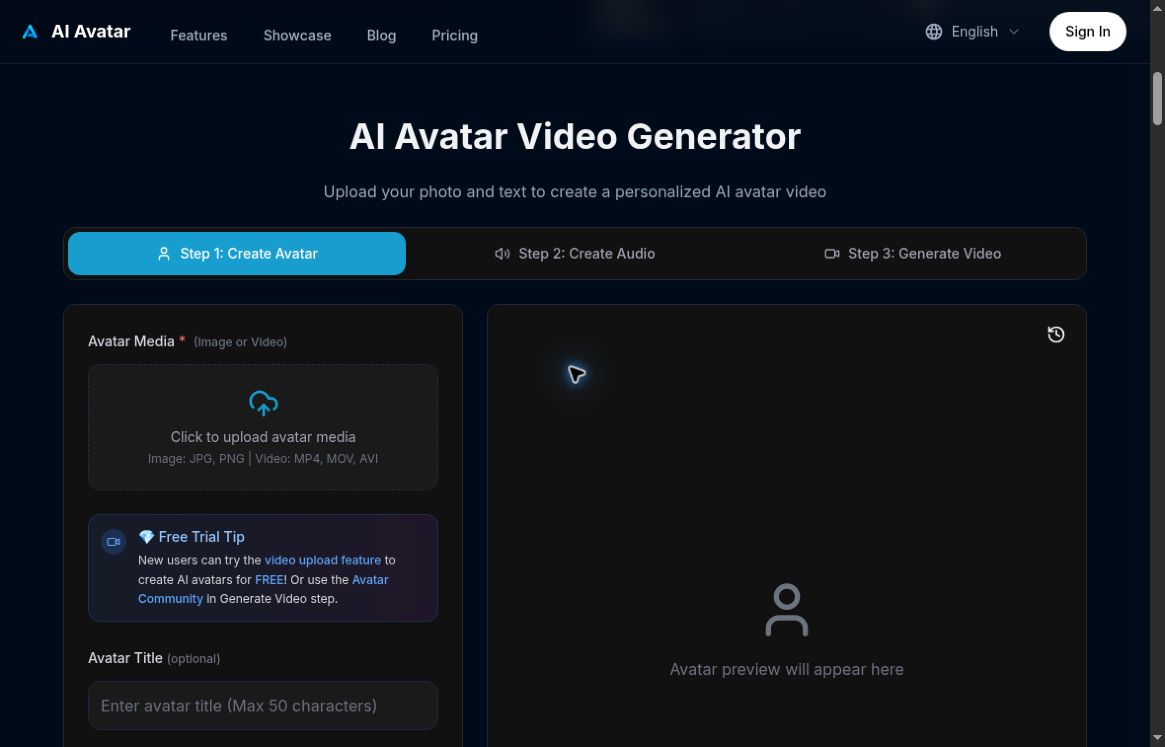
Image: Official AI Avatar Art generator with an empty media upload area and avatar preview, captured October 19, 2026. No account was created, photo or voice uploaded, or talking video generated or tested.
AI Avatar Art is a browser-based talking-avatar generator at ai-avatar.art. Its official website describes turning a photo or video into a speaking presenter, using generated speech or uploaded audio. The provider advertises lip-sync, voice and appearance controls, and support for more than 40 languages.
Possible uses include short explainers, training introductions, social posts and narrated FAQs. Treat an avatar as a presentation format: the script still needs to be accurate, useful and appropriate for the audience.
What can you create?
The published workflow is to choose avatar media, add audio, generate a talking video, then download it. The upload interface lists JPG and PNG images and MP4, MOV and AVI video. The FAQ also describes MP3 and WAV audio uploads.
These are provider-described capabilities, not a quality assessment from a hands-on test. Review facial movement, pronunciation, pacing and visual consistency before publishing. A supported language does not establish that every accent, name or technical term will sound correct.
A practical first-video workflow
- Prepare the message: write a short script with one clear purpose, such as explaining where customers can find an order update.
- Choose suitable media: use your own likeness or material you have permission to animate. Avoid presenting another person’s face or voice as an endorsement without consent.
- Check the audio first: listen for unclear wording, names and numbers before generating a longer video.
- Inspect a short result: watch the mouth movements and expression, and confirm the voice delivers the meaning you intended.
- Prepare for the channel: check the downloaded file, add accessible captions where needed, and make the synthetic nature clear when viewers could otherwise be misled.
This is an editorial workflow suggestion. No account, voice clone or generated video was created for this overview.
Pricing and free access
As checked on October 19, 2026, the homepage shows subscription and pay-as-you-go options, with monthly credit tiers of 400, 700 and 1,500. It advertises a limited new-user video-upload trial that requires login.
Use the live pricing section to confirm the selected billing cycle, currency, credit cost per generation, export limits and trial eligibility. A credit allowance does not by itself tell you how many minutes of finished video you can produce. Exact monetary amounts are omitted because the retrieved page does not clearly establish the currency and selected billing option.
Commercial projects and realistic expectations
The provider describes commercial licensing for videos made from your own photos. That statement does not clear every face, voice, trademark or source asset you might upload. Confirm that the intended project and material are covered before using an avatar in an advertisement or client deliverable.
Allow time for review and possible regeneration. The original promise of finishing every video in under three minutes is too strong for a production plan. This overview does not establish a measured generation speed, perfect lip-sync or a guaranteed cost saving.
Who should consider it?
Creators and small teams may find a talking-presenter workflow useful when the goal is a short scripted message. Start with a low-stakes example before planning a full training course or campaign around it. Check current account and upload requirements on the official site; native mobile or desktop apps were not verified for this update.