
Updated October 25, 2026
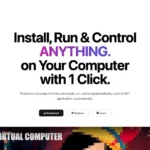
The existing image shows an earlier Pinokio homepage promoting one-click installation and control of “anything,” with a virtual-computer preview. Its capture date is unknown; the slogan is not a guarantee of universal app support or a test performed for this profile. Source: official website.
| Name | Pinokio |
| Overview | Pinokio is a desktop launcher designed to facilitate the installation, execution and management of open-source applications through a graphical interface and scripts. Its browser-style interface lets users explore community projects and programmatically control installed applications. The project documents a review process for featured scripts and publishers, but that is not a guarantee that every community repository is safe. Image restoration and other creative functions come from the particular apps or models installed through Pinokio, rather than a universal built-in restoration feature. The original pinokio.computer address currently redirects to the Pinokio Registry at pinokio.co; the desktop launcher has its own official download site. |
| Key features & benefits |
|
| Use cases and applications |
|
| Who uses? | Pinokio is beneficial for developers, designers, artists, and technology enthusiasts. |
| Pricing | The Pinokio desktop project is open-source under the MIT licence and available without a launcher subscription. The Registry terms currently state that it has no payments, subscriptions or paid plans. This does not make every third-party model, app or external API free: hardware, storage, network use and any separately required services remain your responsibility. |
| Tags | AI tools, application control, automation, creative enhancement, developer tools |
| App available? | Yes. The official desktop download page offers macOS builds for Apple Silicon and Intel, a Windows 64-bit installer, and Linux release packages. These are desktop applications, not a hosted AI-model subscription. Each installed app may have different GPU, RAM, disk-space and operating-system requirements. |
Review a launcher’s source, publisher, permissions and dependencies before running it. Scripts can execute commands and download files; the project’s default directory isolation should not be treated as proof that untrusted code cannot affect the computer. Keep backups and check each app’s licence before using its output. Sources: desktop platform, script review and security model and Registry terms. No software was installed or executed for this profile.